New_category: News

News

  • The Ultimate Guide to Circuit Board Components – Type, Selection, and Assembly

    The Ultimate Guide to Circuit Board Components – Type, Selection, and Assembly

    [vc_row][vc_column][vc_column_text]

    The Ultimate Guide to Circuit Board Components – Type, Selection, and Assembly

    [/vc_column_text][/vc_column][/vc_row][vc_row content_placement=”middle”][vc_column width=”1/4″][vc_column_text]The Ultimate Guide to Circuit Board Components - Type, Selection, and Assembly[/vc_column_text][/vc_column][vc_column width=”3/4″][vc_column_text]Circuit boards are the foundation of most electronics on the market. When building them, we must select the right type of circuit board components to achieve desired performance.

    That’s why knowing their workings is critical to understanding electronics and assembling your own.

    The following guide will show you how to choose the right circuit board components for your intended use. [/vc_column_text][/vc_column][/vc_row][vc_row][vc_column][vc_column_text]

    Types of Circuit Board Components

    Various components make up circuit boards, which vary in complexity. Here is an overview of the most common types of circuit board components:

    1. Passive Components

    [/vc_column_text][/vc_column][/vc_row][vc_row content_placement=”middle”][vc_column width=”1/3″][vc_column_text]Types of Circuit Board Components Passive Electronic Components[/vc_column_text][/vc_column][vc_column width=”2/3″][vc_column_text]Passive Components are those components that do not have a power source. They consume energy from the power source but do not generate voltage or current. Passive components may be made of semiconductors or insulators.[/vc_column_text][/vc_column][/vc_row][vc_row][vc_column][vc_column_text]

    Purpose

    There are three purposes for passive components:

    • Reducing the current through a circuit increases its resistance.
    • Circuit voltage limitation.
    • Storing energy in the form of an electric field or magnetic field.

    Common Materials

    • Copper
    • Nickel
    • Silver 
    • Palladium

    Advantages

    The advantages of passive circuit board components include the following:

    • These are relatively inexpensive. 
    • Lightweight and small in size.
    • One chip or a board can integrate it with other components.
    • Due to their low losses, passive components can be used over a wide range of frequencies (10 Hz to 100 kHz), unlike active devices.

    Applications

    • Power supplies: Used in rectifiers, capacitors, and filters.
    • Audio amplifiers: Used in filters, capacitors, and inductors.
    • Filters: Used in capacitors, inductors, and resistors to remove unwanted frequencies.
    • Medical devices: Used in sensors and monitoring equipment.
    • Aerospace technology: Used in sensors, navigation systems, and communication equipment.
    • Industrial automation: Used in sensors, switches, and control systems.

    Common Types

    The most common types of passive components include:

    • Resistors are used to limit current flow through a circuit by producing heat or resistance when current passes through them.
    • Capacitors store electrical energy by building up an opposite charge on two conductive plates separated by an insulator, such as air or plastic.
    • Inductors generate an electromagnetic field around themselves when current passes through them.

    [/vc_column_text][/vc_column][/vc_row][vc_row][vc_column][vc_column_text]

    2. Active Components

    [/vc_column_text][vc_row_inner][vc_column_inner width=”1/3″][vc_column_text]Types of Circuit Board Components Active Components[/vc_column_text][/vc_column_inner][vc_column_inner width=”2/3″][vc_column_text]Active components are the parts of a circuit that do something. They can be transistors, diodes, or amplifiers.

    In a simple circuit, an active component will have two terminals, a positive and a negative terminal. The positive terminal is usually marked on the component with a + sign, while the negative terminal is marked with a – sign. The other end of the component will also have a connection point called it’s base. This generally has three pins: 

    • one for the power supply, 
    • one for the ground, 
    • and one marked with an arrow pointing toward the + terminal.

    Active components are used in most circuits to perform some function, such as amplification or switching.[/vc_column_text][/vc_column_inner][/vc_row_inner][/vc_column][/vc_row][vc_row][vc_column][vc_column_text]

    Purpose

    These devices amplify or switch electrical signals at high speeds. As well as changing the flow of electricity, they can switch between paths.

    Common Materials

    The materials used in the active components of a circuit board include:

    • Copper foil or copper-clad laminate (Cu)
    • Aluminum conductors are either directly plated onto the substrate or printed with a thick layer of copper using electroplating.
    • Solder mask for covering exposed copper traces and pads to prevent corrosion and shorting
    • Photoresist used as a protective film during etching and as a solder mask during soldering.

    Advantages

    These are some of the advantages of active components:

    • Smaller than passive components
    • Allow more space on the PCB for other components.
    • Consume low power
    • Energy conversion efficiency is high. So they can convert more energy into electricity than they consume from external sources.

    Applications

    The following are the applications of active components of the circuit board:

    • Frequency control: Active components play an important role in frequency control. The device operates or functions at a certain frequency as a result of this.
    • Amplification: Amplification is another application of active components. This occurs because it increases the signal’s amplitude.
    • Voltage regulation: Another application of active component circuits is voltage regulation. Regardless of fluctuations in input voltage, it helps regulate the output voltage.
    • Switching operation: Switching operation is yet another application of active component circuits wherein we use them to switch on/off a load that remains connected across an AC source (source).

    Common Types

    There are many different types of active components available today. Some examples include:

    • Transistors: They can be used for amplification and switching. An emitter, a base, and a collector make up a transistor.
    • Diodes: These allow current to flow only in one direction. They have three leads (anode, cathode, and gate).

    Integrated Circuits (ICs): These silicon chips contain multiple transistors. Most computers use them to control the central processing unit (CPU).

    3. Electromechanical Components

    [/vc_column_text][/vc_column][/vc_row][vc_row content_placement=”middle”][vc_column width=”1/3″][vc_column_text]Types of Circuit Board Components Electromechanical Components[/vc_column_text][/vc_column][vc_column width=”2/3″][vc_column_text]When a mechanical change, such as a motor rotating, is brought about by an electrical signal, the component is electromechanical. These typically generate a magnetic field using an electrical current, which creates a physical movement. This category includes relays and switches of every description. [/vc_column_text][/vc_column][/vc_row][vc_row][vc_column][vc_column_text]

    Purpose

    In a circuit board, electromechanical components act as conductive paths between two sides.

    Common Materials

    There are many different materials used in the manufacturing of electromechanical components. Here are a few of the most common:

    • Metal alloys
    • Plastics
    • Rubber and elastomers
    • Glass

    Advantages

    Electromechanical components have the following advantages:

    • Have a high degree of precision in positioning and speed.
    • Have low noise.
    • A long service life and can last for years without maintenance or replacement.
    • Easily installed and lightweight.

    Applications

    • Transducers: Sensors, microphones, and speakers use these devices to convert mechanical motion into electrical signals.
    • Sensors: Temperature, pressure, and motion can be measured with these devices in a variety of applications, such as automotive, aerospace, and medical.
    • Generators: Found in power plants, wind turbines, and hydroelectric plants, electromechanical generators convert mechanical energy to electricity.

    Common Types

    Some types include:

    • Relays: Devices that allow a low voltage circuit to control a high voltage circuit, commonly used in power and industrial applications.
    • Switches: Can be used to connect or disconnect electrical circuits and include pushbutton, toggle, rotary, and slide switches.
    • Connectors: Connect two or more electrical circuits. Available in USB, audio, video, and power types. Electronic devices cannot function properly without them.

    [/vc_column_text][/vc_column][/vc_row][vc_row][vc_column][vc_column_text]

    How to Choose the Circuit Board Components?

    The first thing you need to do is decide what you want your circuit board to do. Are you building a simple timer or an advanced sensor? 

    This will help narrow down the types of components that you need.

    • Functionality: Choosing components that match the required functions of the circuit board.
    • Size: Select components that fit within the physical dimensions of the board.
    • Power: Choosing components that can handle the power requirements of the circuit.
    • Availability: Ensuring that the components needed are easily accessible and in stock.
    • Cost: Balancing the cost of the components with the project’s overall budget.
    • Reliability: Select components known to be reliable and have a long lifespan.
    • Manufacturer’s Reputation: When choosing parts for your circuit boards, look at how long they’ve been in business and how many products they’ve shipped successfully. For those seeking a dependable and experienced manufacturer of circuit board components, Langir is an excellent option.  

    Circuit Board Design and Layout

    [/vc_column_text][/vc_column][/vc_row][vc_row content_placement=”middle”][vc_column width=”1/3″][vc_column_text]Circuit Board Design and Layout[/vc_column_text][/vc_column][vc_column width=”2/3″][vc_column_text]Selecting the right components for circuit board design is crucial for optimal performance, reliability, and cost-effectiveness. The proper component selection also ensures the compatibility and availability of the components.

    It is essential to consult with an experienced provider for guidance in selecting the right components for your circuit board design.[/vc_column_text][/vc_column][/vc_row][vc_row][vc_column][vc_column_text]

    Best Practices for Circuit Board Layout with Different Component Types

    Here are some best practices for circuit board layout with different component types:

    Passive Components:

    • Place passive components near the IC or connector they are connected to.
    • Group passive components, such as filtering or signal coupling, are used for the same function.

    Active Components:

    • Place active components in the center of the circuit board to minimize signal interference.
    • Use decoupling capacitors close to active circuit board components to reduce noise.

    Connectors:

    • Place connectors at the edge of the circuit board for easy access.
    • Orient connectors in a consistent direction to ensure proper alignment.
    • Ensure proper spacing between connectors to prevent interference.

    Power and Ground:

    • Use a separate plane for power and ground to minimize noise.
    • Power and ground traces are wide enough to handle the required current.

    High-Frequency Components:

    • Place high-frequency components in a location where they can minimize the effect of parasitic capacitance and inductance.
    • Use short traces for high-frequency components to minimize signal loss.
    • Use a dedicated ground plane to minimize signal interference.

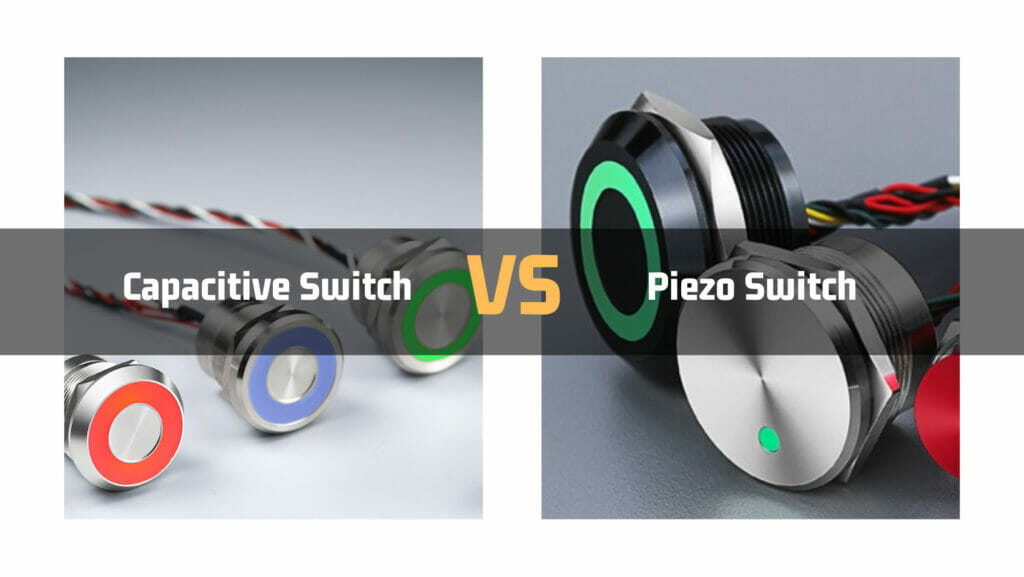
    [/vc_column_text][vc_row_inner][vc_column_inner width=”1/5″][/vc_column_inner][vc_column_inner width=”3/5″][vc_column_text]langir capacitive switches and piezo switches[/vc_column_text][/vc_column_inner][vc_column_inner width=”1/5″][/vc_column_inner][/vc_row_inner][/vc_column][/vc_row][vc_row][vc_column][vc_column_text]

    Circuit Board Assembly

    Circuit board assembly is populating a circuit board with electronic components to make a functioning electronic device. The process involves several steps, including component selection, printed circuit board (PCB) layout, and the assembly process.

    Types of Assembly Methods

    There are two primary methods of circuit board assembly:

    Through-hole

    [/vc_column_text][/vc_column][/vc_row][vc_row content_placement=”middle”][vc_column width=”1/3″][vc_column_text]Circuit Board Assembly Method Through-hole[/vc_column_text][/vc_column][vc_column width=”2/3″][vc_column_text]Through-hole assemblies are the most common and the simplest. They can be assembled by hand or by automated equipment.[/vc_column_text][/vc_column][/vc_row][vc_row][vc_column][vc_column_text]

    Surface-mount

    [/vc_column_text][/vc_column][/vc_row][vc_row content_placement=”middle”][vc_column width=”1/3″][vc_column_text]Circuit Board Assembly Method Surface-mount[/vc_column_text][/vc_column][vc_column width=”2/3″][vc_column_text]Surface-mount assemblies are more difficult to assemble because of their small size and narrow pitch between leads. They’re often soldered automatically using wave soldering or reflow soldering.

    Composite testing components before assembly and avoiding thermal shock during soldering is critical for surface-mount assemblies because they have less tolerance for thermal stress than through-hole components.[/vc_column_text][/vc_column][/vc_row][vc_row][vc_column][vc_column_text]

    Testing Components Before Assembly

    Testing circuit board components before assembly ensures they meet specifications and function properly. Using this process prevents costly errors that may result in product failure.

    Avoiding Thermal Shock During Soldering

    [/vc_column_text][/vc_column][/vc_row][vc_row content_placement=”middle”][vc_column width=”1/3″][vc_column_text]Avoiding Thermal Shock During Soldering[/vc_column_text][/vc_column][vc_column width=”2/3″][vc_column_text]Thermal shock can occur during the soldering process when the component’s temperature changes too quickly. This can cause damage to the component or the PCB. To prevent thermal shock, the PCB and components should be heated and cooled gradually to reduce the risk of damage.[/vc_column_text][/vc_column][/vc_row][vc_row][vc_column][vc_column_text]

    Soldering Techniques and Assembly Equipment

    Soldering techniques and equipment include wave soldering, reflow soldering, and manual soldering. Depending on the volume of production and the type of components soldered, the equipment will vary.[/vc_column_text][/vc_column][/vc_row][vc_row][vc_column][vc_column_text]

    Troubleshooting Circuit Board Components

    Circuit board components can experience various issues, such as failure, damage, incorrect installation, and compatibility issues. Troubleshooting and diagnosing these issues requires knowledge of different component types and diagnostic tools.

    Common Issues with Circuit Board Components

    Circuit boards and their components are prone to the following problems:

    • Failure: Overvoltage, overheating, or improper handling can cause circuit board components to fail.
    • Damage: Components can get damaged during handling, assembly, or operation, causing circuit board failures.
    • Incorrect installation: Issues such as polarity reversal or misalignment can arise due to incorrect installation.
    • Compatibility issues: Some circuit board components may not be compatible with the PCB or other components.

    Troubleshooting and Diagnosing Different Types of Components

    Various diagnostic tools are available to troubleshoot issues with passive and active components, including multimeters, oscilloscopes, and logic analyzers. Tools like these identify the root cause, such as faulty components or broken traces.

    Reworking Techniques

    Reworking techniques involve repairing or replacing damaged components on a PCB. Techniques include desoldering, hot air rework stations, and soldering irons. It is essential to follow proper reworking techniques to prevent further damage to the PCB or components.[/vc_column_text][/vc_column][/vc_row][vc_row][vc_column][vc_column_text]

    Future of Circuit Board Components

    Automation, miniaturization, and artificial intelligence (AI) will influence future developments in circuit board components.

    Smaller, more effective electronic components are required as the demand for more complex electronic devices rises. Nanotechnology plays a crucial role here. Nanotechnology uses materials measured in nanometers (nm) or billionths of a meter.

    The benefits of nanoscale manufacturing techniques are numerous, including

    • Smaller size-related improvements in performance and efficiency
    • Improved durability and reliability due to fewer flaws
    • And lower energy consumption.

    AI systems have been developed for use in transportation, healthcare, and other industries. Over the past several years, AI-based systems have been used increasingly for sophisticated tasks like image identification, object recognition, speech recognition, and translation without requiring human intervention. Offers insights into enormous datasets by identifying patterns humans cannot understand.

    Equipment size is getting smaller, yet performance is accelerating faster than ever, thanks to the miniaturization trend. Due to this tendency, producers may now produce high-performance products at the lowest possible cost.[/vc_column_text][/vc_column][/vc_row][vc_row][vc_column][vc_column_text]

    Conclusion 

    Proper component selection, design, and assembly are crucial for successfully operating circuit board components. To ensure that your circuit boards meet these requirements, it’s essential to consult with a reputable and experienced provider like Langir.

    With their expertise in panel switches, control panels, and circuit protection, Langir can assist you in every stage of the circuit board development process.  [/vc_column_text][vc_row_inner][vc_column_inner width=”1/5″][/vc_column_inner][vc_column_inner width=”3/5″][vc_column_text]langir capacitive switches and piezo switches[/vc_column_text][/vc_column_inner][vc_column_inner width=”1/5″][/vc_column_inner][/vc_row_inner][/vc_column][/vc_row][vc_row][vc_column][vc_zigzag]

    Get Custom Quote
    We’ll get back to you within 12 hours.
    Drag & Drop Files, Choose Files to Upload You can upload up to 3 files.
    [/vc_column][/vc_row][vc_row][vc_column][vc_zigzag][/vc_column][/vc_row]

  • Decoding the Capacitor Symbol – A Journey Through Electric Adventures

    Decoding the Capacitor Symbol – A Journey Through Electric Adventures

    [vc_row][vc_column][vc_column_text]

    Decoding the Capacitor Symbol – A Journey Through Electric Adventures

    [/vc_column_text][vc_single_image image=”9690″ img_size=”large” alignment=”center”][vc_column_text]Capacitors are essential in modern technology and are used in almost every electronic device. According to Precedence Research, the global capacitor market is expected to reach $61.83 billion by 2032. Capacitors come in various shapes and sizes, each with its specific use. Additionally, they have a variety of symbols; each capacitor symbol represents different meanings and properties. 

    So, if you are working in electronics, you must understand the meaning of each symbol. They provide valuable information about the type of capacitor, its capacitance, voltage rating, and other essential details. To know more about a capacitor symbol, its meaning, and how to decide it, let’s delve into the details!

    What is a Capacitor?

    A capacitor is an electronic component widely used in various electrical and electronic circuits. It is designed to store and release electrical energy, acting as a temporary reservoir or “energy buffer” within a circuit. Compared to a typical battery, a capacitor can store very small amounts of energy, such as 10,000 times smaller, which is still useful for many devices and circuits. Here’s the typical structure of a capacitor:[/vc_column_text][vc_row_inner][vc_column_inner width=”1/5″][/vc_column_inner][vc_column_inner width=”3/5″][vc_column_text]langir capacitive switches and piezo switches

    Contact Langir – A Leading Manufacturer of Capacitive Switches

    [/vc_column_text][/vc_column_inner][vc_column_inner width=”1/5″][/vc_column_inner][/vc_row_inner][/vc_column][/vc_row][vc_row content_placement=”middle”][vc_column width=”1/3″][vc_column_text]What is a Capacitor

    Contact Langir

    [/vc_column_text][/vc_column][vc_column width=”2/3″][vc_column_text]

    • It comprises two conductive plates separated by an insulating material known as the dielectric. 
    • The conductive plates are usually made of metal, such as aluminum or tantalum. 
    • While the dielectric can be made of various materials, including ceramic, paper, plastic, or electrolytes.

    [/vc_column_text][/vc_column][/vc_row][vc_row][vc_column][vc_column_text]

    How Capacitor Works?

    As we all know, metals are made of positively and negatively charged particles which make them neutral. However, when an electric field is applied, the electrons from the positive plate or side will start moving toward the negative plate. However, the dielectric between both plates doesn’t allow the electrons to pass through, resulting in electron accumulation on one plate. 

    The capacitor stores electrical energy in the form of the accumulated charge on its plates. The amount of charge stored is directly proportional to the applied voltage and the capacitance of the capacitor. The equation is given as follows:

    • Q = CV relates the charge (Q) stored in the capacitor to the capacitance (C) and voltage (V) applied. 

    When the capacitor is connected to a circuit, such as a load or another component, it can release the stored energy. This is known as discharging. 

    Applications

    Here are some applications of a capacitor: 

    • Energy storage in power supply circuits to provide a stable source of energy.
    • Coupling and decoupling capacitors block DC and allow AC signals to pass.
    • Filtering and smoothing of electrical signals to remove noise and ripples.
    • Motor starting and phase-shifting in electric motors and HVAC systems.

    Capacitor Types 

    Before digging into the details of capacitor symbols, we should first look at the different capacitor types. Here are a few of them:

    • Electrolytic Capacitors

    Electrolytic capacitors are polarized capacitors that use an oxide as the dielectric material. They have high capacitance values and are typically used in applications that require high capacitance and voltage ratings. In this, a thin metal film layer is used as the first electrode, while the second electrode (cathode) is a semi-liquid electrolyte. Here are the applications of electrolytic capacitors: [/vc_column_text][/vc_column][/vc_row][vc_row content_placement=”middle”][vc_column width=”1/3″][vc_column_text]Electrolytic Capacitors

    Contact Langir

    [/vc_column_text][/vc_column][vc_column width=”2/3″][vc_column_text]

    • They are used in audio circuits for coupling, decoupling, and filtering applications.
    • Electrolytic capacitors are commonly used in power supplies to smooth out voltage fluctuations and reduce ripple.

    [/vc_column_text][/vc_column][/vc_row][vc_row][vc_column][vc_column_text]

    • Film Capacitors

    Film capacitors are non-polarized capacitors that use a thin plastic film as the dielectric material. Typically, a film capacitor is made using the film drawing process. The film is manufactured and metalized depending on the properties of the capacitors. 

    They are available in various types, including polyester (Mylar), polypropylene, polycarbonate, and polyphenylene sulfide (PPS) film capacitors. The significant difference between each type of dielectric material used between the plates. Here are some of the applications of film capacitors:[/vc_column_text][/vc_column][/vc_row][vc_row content_placement=”middle”][vc_column width=”1/3″][vc_column_text]Film Capacitors

    Contact Langir

    [/vc_column_text][/vc_column][vc_column width=”2/3″][vc_column_text]

    • They are used in single-phase AC motors to improve efficiency and provide a phase shift.
    • Commonly used in the aerospace and military industry for manufacturing various devices.

    [/vc_column_text][/vc_column][/vc_row][vc_row][vc_column][vc_column_text]

    • Ceramic Capacitors

    These are the ones that use ceramic material as a dielectric. They have various shapes and sizes, including ceramic tubular and barrier layer capacitors. The two most common types are the multilayer ceramic capacitor (MLCC) and ceramic disc capacitor. MLCCs, made through surface-mounted technology, are particularly popular due to their compact size. 

    On the other hand, ceramic disc capacitors are coated with silver contacts on both sides. These capacitors boast a high dielectric constant (High-K), offering substantial capacitance. Here are some applications of ceramic capacitors: [/vc_column_text][/vc_column][/vc_row][vc_row content_placement=”middle”][vc_column width=”1/3″][vc_column_text]Ceramic Capacitor

    Contact Langir

    [/vc_column_text][/vc_column][vc_column width=”2/3″][vc_column_text]

    • They are employed in timing circuits, such as oscillators and resonators.
    • Ceramic capacitors are used for filtering and coupling applications in audio circuits, RF circuits, and power supplies.

    [/vc_column_text][/vc_column][/vc_row][vc_row][vc_column][vc_column_text]

    • Tantalum Capacitors

    Tantalum capacitors are electrolytic capacitors and consist of tantalum metal serving as the anode. They feature a thin oxide layer acting as the dielectric, surrounded by a conductive cathode. The use of tantalum allows for a highly efficient dielectric layer. Therefore, you will see a higher capacitance value per volume and superior frequency characteristics than other capacitor types. 

    Furthermore, tantalum capacitors exhibit excellent long-term stability and efficiency. These capacitors are typically polarized, meaning they can only be connected to a DC power source while maintaining the correct terminal polarity. Here are some critical applications of tantalum capacitors:[/vc_column_text][/vc_column][/vc_row][vc_row content_placement=”middle”][vc_column width=”1/3″][vc_column_text]Tantalum Capacitors

    Contact Langir

    [/vc_column_text][/vc_column][vc_column width=”2/3″][vc_column_text]

    • Tantalum capacitors are used in various consumer electronic devices, such as smartphones, laptops, and digital cameras, for power supply decoupling and filtering.
    • They are employed in telecommunications equipment, including routers, switches, and base stations, for voltage regulation and noise suppression.

    [/vc_column_text][/vc_column][/vc_row][vc_row][vc_column][vc_column_text]

    • Variable Capacitors

    Typically, a variable capacitor has a varying capacitance that can be manually adjusted. The capacitor consists of two plates; one is stationary, while the other is movable. This configuration allows the capacitor to provide a capacitance range from 10 pF to 500 picofarads. Some common types of variable capacitors include trimmers and turning capacitors. Here are some applications of the variable capacitors:[/vc_column_text][/vc_column][/vc_row][vc_row content_placement=”middle”][vc_column width=”1/3″][vc_column_text]Variable Capacitors

    Contact Langir

    [/vc_column_text][/vc_column][vc_column width=”2/3″][vc_column_text]

    • They are used in oscillators, tuners, filters, etc. 
    • Applicable in medical devices like MRI and NMR scanners to generate accurate results.

    [/vc_column_text][/vc_column][/vc_row][vc_row][vc_column][vc_column_text]

    Capacitor Symbols 

    Now that you know the many types of capacitors, let’s discuss what a capacitor symbol is and its types! 

    The symbol generally used to represent a capacitor in electronic circuit diagrams combines two parallel lines with a gap between them. It varies according to the type; 

    1. Fixed Capacitor Symbol

    [/vc_column_text][vc_row_inner content_placement=”middle”][vc_column_inner width=”1/4″][/vc_column_inner][vc_column_inner width=”1/4″][vc_column_text]Fixed Capacitor Symbol[/vc_column_text][/vc_column_inner][vc_column_inner width=”1/4″][vc_column_text]The symbol of a fixed capacitor is typically represented as two parallel horizontal lines with a space between them.[/vc_column_text][/vc_column_inner][vc_column_inner width=”1/4″][/vc_column_inner][/vc_row_inner][/vc_column][/vc_row][vc_row][vc_column][vc_column_text]

    2. Polarized Capacitor Symbol

    [/vc_column_text][vc_row_inner content_placement=”middle”][vc_column_inner width=”1/4″][/vc_column_inner][vc_column_inner width=”1/4″][vc_column_text]Polarized Capacitor Symbol[/vc_column_text][/vc_column_inner][vc_column_inner width=”1/4″][vc_column_text]The symbol of a polarized capacitor includes a straight line and a curved line. The curved line represents the negative terminal, often indicated with a minus (-) sign or a specific marking on the capacitor. The straight line represents the positive terminal, typically the longer lead on the physical capacitor.[/vc_column_text][/vc_column_inner][vc_column_inner width=”1/4″][/vc_column_inner][/vc_row_inner][/vc_column][/vc_row][vc_row][vc_column][vc_column_text]

    3. Variable Capacitor Symbol

    [/vc_column_text][vc_row_inner content_placement=”middle”][vc_column_inner width=”1/4″][/vc_column_inner][vc_column_inner width=”1/4″][vc_column_text]Variable Capacitor Symbol[/vc_column_text][/vc_column_inner][vc_column_inner width=”1/4″][vc_column_text]The symbol for a variable capacitor in circuit diagrams is typically represented as two parallel lines with an arrow indicating the adjustable portion. [/vc_column_text][/vc_column_inner][vc_column_inner width=”1/4″][/vc_column_inner][/vc_row_inner][/vc_column][/vc_row][vc_row][vc_column][vc_column_text]

    4. Electrolytic Capacitor Symbol

    [/vc_column_text][/vc_column][/vc_row][vc_row content_placement=”middle”][vc_column width=”1/4″][/vc_column][vc_column width=”1/4″][vc_column_text]Electrolytic Capacitor Symbol[/vc_column_text][/vc_column][vc_column width=”1/4″][vc_column_text]The symbol for an electrolytic capacitor is either two parallel lines or a straight line and a curved as shown in the image[/vc_column_text][/vc_column][vc_column width=”1/4″][/vc_column][/vc_row][vc_row][vc_column][vc_column_text]

    5. Bipolar Capacitor Symbol

    [/vc_column_text][/vc_column][/vc_row][vc_row content_placement=”middle”][vc_column width=”1/4″][/vc_column][vc_column width=”1/4″][vc_column_text]Bipolar Capacitor Symbol[/vc_column_text][/vc_column][vc_column width=”1/4″][vc_column_text]The symbol for a bipolar capacitor resembles a non-polar capacitor symbol in structure and can be connected to a circuit in any direction.[/vc_column_text][/vc_column][vc_column width=”1/4″][/vc_column][/vc_row][vc_row][vc_column][vc_column_text]

    6. Trimmer Capacitor Symbol

    [/vc_column_text][/vc_column][/vc_row][vc_row content_placement=”middle”][vc_column width=”1/4″][/vc_column][vc_column width=”1/4″][vc_column_text]Trimmer Capacitor Symbol[/vc_column_text][/vc_column][vc_column width=”1/4″][vc_column_text]A commonly used symbol for a trimmer capacitor is two parallel lines with a diagonal line in between, indicating the adjustable nature of the capacitor.[/vc_column_text][/vc_column][vc_column width=”1/4″][/vc_column][/vc_row][vc_row][vc_column][vc_column_text]

    7. Feed Through Capacitor Symbol

    [/vc_column_text][/vc_column][/vc_row][vc_row content_placement=”middle”][vc_column width=”1/4″][/vc_column][vc_column width=”1/4″][vc_column_text]Feed Through Capacitor Symbol[/vc_column_text][/vc_column][vc_column width=”1/4″][vc_column_text]The symbol for a feedthrough capacitor is usually represented as a capacitor with a straight line passing through it. This line represents the electrical connection or feedthrough between the two sides of the capacitor.[/vc_column_text][/vc_column][vc_column width=”1/4″][/vc_column][/vc_row][vc_row][vc_column][vc_column_text]

    8. Voltage-Dependent Capacitor Symbol

    [/vc_column_text][/vc_column][/vc_row][vc_row content_placement=”middle”][vc_column width=”1/4″][/vc_column][vc_column width=”1/4″][vc_column_text]Voltage-Dependent Capacitor Symbol[/vc_column_text][/vc_column][vc_column width=”1/4″][vc_column_text]One commonly used symbol for a voltage-dependent capacitor is a regular capacitor symbol with an arrow or a curved line pointing into it, indicating the dependency on the applied voltage.[/vc_column_text][/vc_column][vc_column width=”1/4″][/vc_column][/vc_row][vc_row][vc_column][vc_column_text]

    9. Temperature-Dependent Capacitor Symbol

    [/vc_column_text][/vc_column][/vc_row][vc_row content_placement=”middle”][vc_column width=”1/4″][/vc_column][vc_column width=”1/4″][vc_column_text]Temperature-Dependent Capacitor Symbol [/vc_column_text][/vc_column][vc_column width=”1/4″][vc_column_text]You can represent the temperature-dependent capacitor symbol by adding a temperature coefficient symbol to the regular capacitor symbol. The temperature coefficient represents the change in capacitance with respect to temperature.[/vc_column_text][/vc_column][vc_column width=”1/4″][/vc_column][/vc_row][vc_row][vc_column][vc_column_text]

    How to Read Capacitor Symbols?

    You should be able to read a capacitor symbol to understand electronic circuit diagrams and schematics. Here’s the procedure to do so:

    1. Know the Units of Measurement

    Capacitance is measured in Farads (F), but in practice, capacitors are typically rated in smaller units such as microfarads (μF), nanofarads (nF), or picofarads (pF). Familiarize yourself with these units to interpret the values correctly.

    2. Find the Capacitance

    Numerical digits represent the capacitance value on the capacitor symbol. Look for a number that indicates the capacitance value. The number may be followed by a letter code indicating the unit of measurement. 

    3. Search for Tolerance Value

    All capacitors have a tolerance that specifies the maximum allowable deviation from the stated capacitance value. This tolerance is represented by a percentage or a code on the symbol. The tolerance values can be anything, such as ±5%, ±10%, ±20%, or more. For instance, If you find “104K” on the symbol, the letter “K” represents a tolerance of ±10%. 

    4. Find the Voltage Rating

    Capacitors also have a voltage rating, indicating the maximum voltage they can safely handle. The voltage rating is usually represented as a number followed by a unit such as volts (V) or kilovolts (kV). For instance, If you see “25V” on the symbol, the capacitor can handle a maximum voltage of 25 volts.

    5. Look for a Positive or Negative Sign

    Some capacitors, particularly polarized electrolytic and tantalum capacitors, have a polarity. They must be connected in the correct direction, or they may fail or even explode. The positive and negative terminals are indicated on the symbol using different markings, such as a plus sign (+) or a minus sign (-).[/vc_column_text][vc_row_inner][vc_column_inner width=”1/5″][/vc_column_inner][vc_column_inner width=”3/5″][vc_column_text]langir capacitive switches and piezo switches

    Contact Langir – A Leading Manufacturer of Capacitive Switches

    [/vc_column_text][/vc_column_inner][vc_column_inner width=”1/5″][/vc_column_inner][/vc_row_inner][/vc_column][/vc_row][vc_row][vc_column][vc_column_text]

    FAQs

    1. Why is the Capacitor Symbol important in Circuit Diagrams? 

    The capacitor symbol is vital in circuit diagrams as it represents the location of a component called a capacitor in a circuit. Capacitors typically store and release electrical energy and are an important circuit part.

    2. Why are there different Symbols for Different Types of Capacitors? 

    Every capacitor has a different capacitance and voltage rating, so using different symbols for different types of capacitors is essential. These different symbols allow engineers and technicians to understand the type of circuit being used in a device.

    3. Can I replace One type of Capacitor with another in a Circuit? 

    Yes, you can replace one type of capacitor with another in a circuit, but remember to make sure the capacitor you use has a higher voltage rating than the previous one, or there may be some complications. Also, remember that each capacitor type has different applications and manufacturing materials, so replacing one with the other can affect the overall working of the circuit.

    4. What is the difference between Polarized and Non-polarized Circuit Capacitors? 

    Polarized circuit capacitors are polar sensitive and can only be connected in a particular direction in a circuit. In contrast, a non-polarized capacitor is one that has no polarity and can be connected in any direction in a circuit.

    5. How can I tell if Capacitor is Polarized or Non-polarized based on its Symbol? 

    A polarized capacitor typically has a positive terminal represented by “+” and a negative terminal represented by “-” This indicates the capacitor is polarized, and you need to be careful about direction when connecting it to a circuit. In contrast, a non-polarized capacitor does not have any specific polarity markings and can be connected in any direction.

    6. How can I determine the value of a Capacitor based on its Symbol? 

    You can easily determine the value of a capacitor using a digital multimeter or by reading the color codes printed on the capacitor. 

    7. How is the Capacitance value indicated in a Capacitor Symbol?

    The capacitance value on a capacitor symbol is indicated by a numerical value followed by the SI unit of capacitance, which is Farad. However, due to the small capacitance values of some capacitors, these values can be micro or Pico Farad. [/vc_column_text][/vc_column][/vc_row][vc_row][vc_column][vc_column_text]

    Conclusion

    A capacitor is used in almost all electronic devices and has different types. These include variable, tantalum, film, etc., and all these symbols are represented by unique term symbols. A term symbol helps engineers and technicians identify the type of capacitor used in a circuit and its application. You can read the term symbols easily if you know the capacitance measurement unit, how to find voltage rating and other things. 

    So, if you are looking for high-quality capacitors and other DC circuit products, Langir is your one-stop shop. With our years of experience, we ensure our customers get the latest and most reliable products. So, contact us and book your orders now! [/vc_column_text][vc_row_inner][vc_column_inner width=”1/5″][/vc_column_inner][vc_column_inner width=”3/5″][vc_column_text]langir capacitive switches and piezo switches

    Contact Langir – A Leading Manufacturer of Capacitive Switches

    [/vc_column_text][/vc_column_inner][vc_column_inner width=”1/5″][/vc_column_inner][/vc_row_inner][/vc_column][/vc_row][vc_row][vc_column][vc_zigzag]

    Get Custom Quote
    We’ll get back to you within 12 hours.
    Drag & Drop Files, Choose Files to Upload You can upload up to 3 files.
    [/vc_column][/vc_row][vc_row][vc_column][vc_zigzag][/vc_column][/vc_row]

  • Types of Switches : Mechanical vs. Electronic Switches – A Comprehensive Guide

    Types of Switches : Mechanical vs. Electronic Switches – A Comprehensive Guide

    [vc_row][vc_column][vc_column_text css=””]

    Types of Switches : Mechanical vs. Electronic Switches – A Comprehensive Guide

    [/vc_column_text][vc_single_image image=”9635″ img_size=”full” alignment=”center”][/vc_column][/vc_row][vc_row][vc_column][vc_column_text css=””]

    Introduction

    From illuminating bulbs using light switches to typing down our thoughts with keyboard switches, it’s unreal just how many types of switches we interact with in our daily lives. But not all switches are created equal and understanding the science behind them can really open our minds to the technology of today.

    So, whether you’re just a curious internet surfer or a budding engineer, we’ve got an interesting article planned for you today. We’ll take you through a comprehensive guide of the different types of switches: mechanical and electrical. We’ll explain how each type works, their applications, and break down their pros and cons.

    So, without any further ado, let’s dive right in![/vc_column_text][/vc_column][/vc_row][vc_row content_placement=”middle”][vc_column width=”1/3″][vc_column_text]What Is a Switch[/vc_column_text][/vc_column][vc_column width=”2/3″][vc_column_text css=””]

    What Is a Switch

    A switch is a fundamental component in electrical engineering, responsible for breaking or completing an electric circuit. Its purpose is to control the current flow between two points, making it a critical component in both small and large electronic devices. From turning on a simple television set to operating complex industrial machinery, switches are an integral part of control systems that we use every day.

    As technology advances, so does the need for more sophisticated types of switches with greater capabilities. Regardless of their complexity, switches play an essential role in powering and controlling a wide range of electronic devices[/vc_column_text][/vc_column][vc_column][vc_tta_tabs][vc_tta_section title=”Characteristics of Switches” tab_id=”1706175879790-2b2ac76e-506a”][vc_column_text]Different types of switches have different features and capabilities depending upon the intended usage but there are certain common characteristics that make up a switch.

    • Pole and Throw – Every type of switch has a pole and throw. Pole indicates the number of switch controls while throw indicates the contact points.
    • Current flow control – A switch must be able to regulate the flow of current between two locations in a circuit, permitting current to pass when the switch is closed and obstructing it when it is open.
    • Action – The action of the switch can be momentary or latched. Momentary switches complete the circuit only for a small period or until the switch is pressed. Whereas latched action completes the circuit until another action is forced.

    [/vc_column_text][/vc_tta_section][vc_tta_section title=”Benefits of Switches” tab_id=”1706175879834-d4569b0d-d7b2″][vc_column_text]The use of switches is so widespread in our lives that functioning without them can lead to several issues. Controlling any circuit through a switch is crucial for various reasons.

    • Keeping the current flow of any circuit is important to turn it on or off, depending on the user’s requirement.
    • Switches improve the functionality of even the simplest devices. For example, with the help of a switch, users can choose between different modes.
    • The unavailability of a switch will keep the circuit closed, leading to electrical overload.

    [/vc_column_text][/vc_tta_section][/vc_tta_tabs][/vc_column][/vc_row][vc_row][vc_column][vc_row_inner][vc_column_inner width=”1/5″][/vc_column_inner][vc_column_inner width=”3/5″][vc_column_text]langir capacitive switches and piezo switches

    Contact Langir – A Leading Push Button Switch Manufacturer in China

    [/vc_column_text][/vc_column_inner][vc_column_inner width=”1/5″][/vc_column_inner][/vc_row_inner][/vc_column][vc_column][vc_column_text css=””]

    Types Of Switches

    Switches are typically classified based on their operating principle. The two most common types of switches are mechanical and electrical switches.[/vc_column_text][vc_tta_tabs][vc_tta_section title=”Mechanical Switches” tab_id=”1706176223155-65e1da09-e54b”][vc_column_text]Mechanical switches physically move a metal to either break or close a circuit. They are also known as physical switches as they require pressing or touching their contact.[/vc_column_text][/vc_tta_section][vc_tta_section title=”Electronic Switches” tab_id=”1706176223273-6b045805-e49a”][vc_column_text]Electronic switches are a type of switch that use semiconductor action. Thus, they do not require any physical action to control the current flow.[/vc_column_text][/vc_tta_section][/vc_tta_tabs][/vc_column][/vc_row][vc_row][vc_column][vc_column_text css=””]

    Mechanical Switches

    Here’s a complete guide to mechanical switches; what they are, how they work, their types, and their applications.

    What Is A Mechanical Switch

    A mechanical switch is any type of switch that requires a person to press, flip, or turn to open or close the contact. This action can be completed using a toggle, lever, or button that allows tactile response.

    Mechanical switches can be categorized based on several features such as poles and throws, actuation, number of contacts, etc.

    Common Types of Mechanical Switches

    Here is a detailed breakdown of the five most common types of mechanical switches:[/vc_column_text][/vc_column][/vc_row][vc_row content_placement=”middle”][vc_column width=”1/3″][vc_column_text]19mm piezoelectric switch[/vc_column_text][/vc_column][vc_column width=”2/3″][vc_column_text css=””]

    Piezo Switches

    Piezo switches, also known as piezoelectric switches, are a type of electronic switch that uses the piezoelectric effect to detect and generate electrical signals. The piezoelectric effect refers to the ability of certain materials to generate an electric charge in response to mechanical stress or pressure.

    In a piezo switch, a piezoelectric material, such as quartz or certain ceramics, is sandwiched between two metal plates. When a mechanical force or pressure is applied to the switch, it deforms the piezoelectric material, which generates an electric charge. This charge is then detected and used to trigger the switching action.

    Piezo switches offer several advantages over traditional mechanical switches. They are solid-state devices without any moving parts, which makes them more durable and resistant to wear and tear. They are also immune to contact bounce, a common issue with mechanical switches that can cause multiple signals to be generated from a single press. Piezo switches can operate in harsh environments, as they are resistant to dust, moisture, and chemicals.

    These switches are commonly used in various applications where reliability, long lifespan, and resistance to environmental factors are important.

    Learn more in our extensive guide here.[/vc_column_text][vc_btn title=”Request a Quote” style=”classic” color=”warning” align=”left” link=”url:https%3A%2F%2Fwww.langir.com%2Fcontact%2F|target:_blank”][/vc_column][/vc_row][vc_row content_placement=”middle”][vc_column width=”2/3″][vc_column_text css=””]

    Capacitive Switches

    Capacitive switches, also known as touch switches or touch-sensitive switches, are electronic devices that detect touch or proximity by utilising the principles of capacitance. They are commonly used as alternative inputs to mechanical switches in various electronic devices and touch-sensitive interfaces.

    Unlike traditional mechanical switches that rely on physical contact to complete or break a circuit, capacitive switches work by measuring changes in capacitance.

    Capacitance refers to the ability of an object or material to store an electric charge. When a conductive object, such as a finger, comes in close proximity to a capacitive switch, it alters the capacitance of the switch’s sensing area.

    Learn more in our extensive guide here.[/vc_column_text][vc_btn title=”Send your inquiry to Langir” style=”classic” color=”warning” align=”left” link=”url:https%3A%2F%2Fwww.langir.com%2Fcontact%2F|target:_blank”][/vc_column][vc_column width=”1/3″][vc_column_text]25mm Piezoelectric Sensor Switch[/vc_column_text][/vc_column][/vc_row][vc_row content_placement=”middle”][vc_column width=”1/3″][vc_column_text]L22T Anti vandal switch[/vc_column_text][/vc_column][vc_column width=”2/3″][vc_column_text css=””]

    Push Button Switches

    This type of switch operates by pushing the button to either break or close the circuit depending on its direction. Generally, a single button can be used for a simple in-out actuation mechanism.

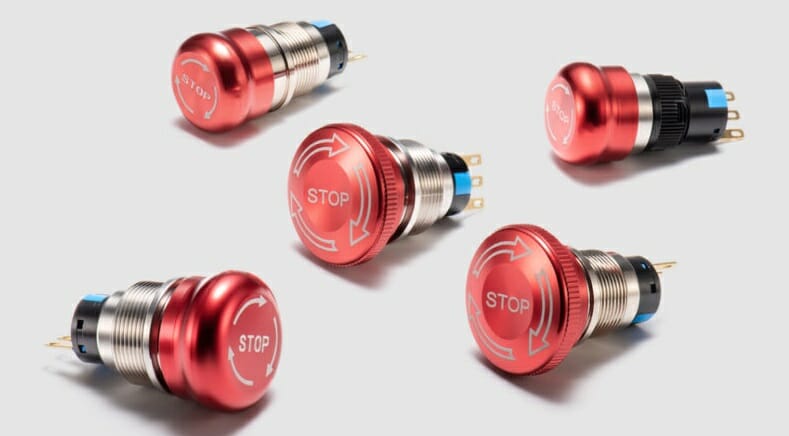
    These are present in several appliances including power tools and vending machines such as emergency buttons or anti-vandal switches.[/vc_column_text][vc_btn title=”Contact Langir” style=”classic” color=”warning” align=”left” link=”url:https%3A%2F%2Fwww.langir.com%2Fcontact%2F|target:_blank”][/vc_column][/vc_row][vc_row content_placement=”middle”][vc_column width=”2/3″][vc_column_text css=””]

    Toggle Switches

    Toggle Switches allow action through a handle or a lever. Mostly it has only on and off options. Generally, the on feature (closed circuit) is when the lever is in the downward position.

    But there are no restrictions and it can be the other way around as well. It can be used for both high and low-voltage appliances. It is mostly present for lights, fans, and other household appliances.[/vc_column_text][vc_btn title=”Request a Quote from Langir” style=”classic” color=”warning” align=”left” link=”url:https%3A%2F%2Fwww.langir.com%2Fcontact%2F|target:_blank”][/vc_column][vc_column width=”1/3″][vc_column_text]Langir Anti Vandal Toggle Switch

    [/vc_column_text][/vc_column][/vc_row][vc_row content_placement=”middle”][vc_column width=”1/3″][vc_column_text]Types of Mechanical Switches Rotary Switches[/vc_column_text][/vc_column][vc_column width=”2/3″][vc_column_text css=””]

    Rotary Switches

    As the name suggests, rotary switches use rotation to control the current flow. They are primarily used to simplify the procedure for users by allowing them to operate many circuits with a single switch.

    Cars typically have rotary switches for air conditioning levels while home appliances like dimmers and speed fans also incorporate it.[/vc_column_text][vc_btn title=”Request a Quote” style=”classic” color=”warning” align=”left” link=”url:https%3A%2F%2Fwww.langir.com%2Fcontact%2F|target:_blank”][/vc_column][/vc_row][vc_row content_placement=”middle”][vc_column width=”2/3″][vc_column_text css=””]

    Slide Switches

    As evident from the name, a slide switch is a type of switch that uses a sliding motion to shift a circuit from an open to a closed position and vice versa.

    These switches are also widely used in consumer electronics, computer peripherals, and home appliances. These are also used for complex controls such as controlling the direction of a motor or the position of a valve.[/vc_column_text][vc_btn title=”Send your inquiry to Langir” style=”classic” color=”warning” align=”left” link=”url:https%3A%2F%2Fwww.langir.com%2Fcontact%2F|target:_blank”][/vc_column][vc_column width=”1/3″][vc_column_text]Types of Mechanical Switches Slide Switches[/vc_column_text][/vc_column][/vc_row][vc_row content_placement=”middle”][vc_column width=”1/3″][vc_column_text]Types of Mechanical Switches Rocker Switches[/vc_column_text][/vc_column][vc_column width=”2/3″][vc_column_text css=””]

    Rocker Switches

    Also known as seesaw switches, the mechanism rocks between two or more positions. However, typically there are only two positions that are indicated on the switch.

    They may seem similar to a toggle switch to an average person but this switch simply tilts back and forth from a central point. These are used in power supplies, home appliances, and even industrial machinery.[/vc_column_text][vc_btn title=”Contact Langir” style=”classic” color=”warning” align=”left” link=”url:https%3A%2F%2Fwww.langir.com%2Fcontact%2F|target:_blank”][/vc_column][/vc_row][vc_row][vc_column][vc_column_text css=””]

    Applications For Mechanical Switches

    Wondering what mechanical switches are used for? Here are three applications:[/vc_column_text][vc_row_inner][vc_column_inner width=”1/3″][vc_column_text]

    Industrial Machinery

    Applications For Mechanical Switches Industrial Machinery

    Mechanical switches are widely used in industrial machinery for various purposes, due to their reliability and durability. Toggle and push buttons are the most common types of switches to be used in industrial settings for example in packaging machines and conveyors. Foot switches are also common in industrial machinery to offer hand-free operations where necessary.[/vc_column_text][/vc_column_inner][vc_column_inner width=”1/3″][vc_column_text]

    Automotive Systems

    Applications For Mechanical Switches Automotive Systems

    Mechanical switches play a critical role in the operation and control of various functions in automotive systems, ensuring the reliable and safe operation of vehicles. For example, ignition, headlight, and window operations are all controlled through mechanical switches.[/vc_column_text][/vc_column_inner][vc_column_inner width=”1/3″][vc_column_text]

    Household Appliances

    Applications For Mechanical Switches Household Appliances

    All of the types of mechanical switches mentioned above are widely used in household appliances as it allows tactile feedback. Considering they are easy to use, these switches are found in almost every home appliance from blenders to vacuum cleaners.[/vc_column_text][/vc_column_inner][/vc_row_inner][/vc_column][/vc_row][vc_row][vc_column][vc_column_text css=””]

    Pros And Cons Of Mechanical Switches

    Here are the pros and cons of using mechanical switches:[/vc_column_text][vc_tta_tabs][vc_tta_section title=”Advantages” tab_id=”1706189544606-41a338d2-4aeb”][vc_column_text]

    • The most important benefit is the tactile response when actuated. This informs the user that the desired action has been made to the circuit.
    • They are usually cost-effective as they can be purchased easily at a low price.

    [/vc_column_text][/vc_tta_section][vc_tta_section title=”Disadvantages” tab_id=”1706189544719-853d8e11-a467″][vc_column_text]

    • Mechanical switches often wear off easily as are usually have a limited lifespan
    • These switches are vulnerable to contact bounce, which is a quick succession of electrical contacts that can happen when a switch is activated. It can cause repeated on/off transitions.

    [/vc_column_text][/vc_tta_section][/vc_tta_tabs][/vc_column][/vc_row][vc_row][vc_column][vc_column_text css=””]

    Electronic Switches

    Now, let’s take you through a detailed breakdown of electrical switches and what they’re all about:

    What Is an Electronic Switch?

    Electronic switches do not require the physical movement of a toggle, button, lever, or any other component. Rather, they rely on the electrical properties of the components to control the current flow.

    Common Types of Electronic Switches

    Here are the three common types of electronic switches:[/vc_column_text][/vc_column][/vc_row][vc_row content_placement=”middle”][vc_column width=”1/3″][vc_column_text]Types of Electronic Switches Transistors[/vc_column_text][/vc_column][vc_column width=”2/3″][vc_column_text css=””]

    Transistors

    Transistors are similar to regular switches as they either allow the current to pass or block it. A transistor is often supported in a circuit with a load, such as a light bulb or motor. The transistor’s base can conduct current from the collector to the emitter when a voltage is applied, turning the switch “on” and enabling current to flow through the load. The transistor “turns off,” cutting off current to the load, when the voltage at the base is eliminated or decreased to a specific level. Some basic types of transistor switches are as follows:

    1. Bipolar Junction Transistors (BJT) – It is a three-terminal semiconductor that is used as a regular switch in most devices.
    2. Field Effect Transistor (FET) – It is a three-terminal active semiconductor mostly used in power electronics.

    [/vc_column_text][/vc_column][/vc_row][vc_row content_placement=”middle”][vc_column width=”2/3″][vc_column_text css=””]

    Thyristors

    Thyristors can only operate in two modes: on and off. They are designed for high-voltage usage, making them useful in power control applications. such as speed controls and camera flashes. Once a signal enters the thyristor gate for activation purposes, it remains activated until a reversal of current or a drop in voltage occurs. occurs. Some basic types of thyristor switches are as follows:

    1. Silicon Controlled Rectifier (SCR) – It is a four-layer semiconductor used in appliances that require high-speed switching.
    2. TRIACs – Triode for Alternating Current is a three-terminal electronic switch that can control current in both directions.

    [/vc_column_text][/vc_column][vc_column width=”1/3″][vc_column_text]Types of Electronic Switches Thyristors[/vc_column_text][/vc_column][/vc_row][vc_row content_placement=”middle”][vc_column width=”1/3″][vc_column_text]Types of Electronic Switches Solid State Relays (SSRs)[/vc_column_text][/vc_column][vc_column width=”2/3″][vc_column_text css=””]

    Solid State Relays (SSRs)

    SSRs can be used to control both AC and DC. They have sensors that respond to the control signal and switch power accordingly. It mostly offers a clean and bounceless operation. SSRs are widely used in a variety of applications that require precise control over power switching.[/vc_column_text][/vc_column][/vc_row][vc_row][vc_column][vc_column_text css=””]

    Applications For Electronic Switches

    Here are the top applications of electronic switches:[/vc_column_text][vc_row_inner][vc_column_inner width=”1/3″][vc_column_text]

    Telecommunication

    Applications For Electronic Switches Telecommunication

    In home telecommunications equipment like phones and modems, electronic switches are commonly used. The microelectromechanical system (MEMS) switch is one of the most widely used electronic switches in modern gadgets. MEMS switches are tiny gadgets with excellent precision and switching rates for electrical signals. To connect and disconnect network signals between devices, electronic switches are utilized by routers as well.

    They are a vital component of the contemporary telecommunications infrastructure and make it possible for voice and data signals to be transferred reliably and effectively between homes and around the globe.[/vc_column_text][/vc_column_inner][vc_column_inner width=”1/3″][vc_column_text]

    Computer and Other Digital Devices

    Applications For Electronic Switches Computer and Other Digital Devices

    Electronic devices such as computers, smartphones, tablets, and gaming consoles majorly use electronic switches to operate complex systems. Functions such as data storage and data processing are impossible without electronic switches. Smartphones also require these for controlling display, sounds, and connectivity. Furthermore, gaming consoles are also widely dependent on electronic switches to control movement, actions, and interactions.[/vc_column_text][/vc_column_inner][vc_column_inner width=”1/3″][vc_column_text]

    Power Management Systems

    Applications For Electronic Switches Power Management Systems

    Electronic switches play an important role in managing the distribution of power. SSRs and FETs are the most commonly used electronic switches in power management systems of all scales as they can efficiently manage high current at high frequencies. For example, DC-DC converters or battery management systems.[/vc_column_text][/vc_column_inner][/vc_row_inner][/vc_column][/vc_row][vc_row][vc_column][vc_column_text css=””]

    Pros and Cons of Electronic Switches

    [/vc_column_text][vc_tta_tabs][vc_tta_section title=”Advantages” tab_id=”1706195351161-d4b92062-b74a”][vc_column_text]

    • They are ideal for small and portable devices. The switches are lightweight yet highly powerful.
    • The noiseless operations make them an ideal choice for electronic devices that require switches to be inside the device working simultaneously with several other circuits.

    [/vc_column_text][/vc_tta_section][vc_tta_section title=”Disadvantages” tab_id=”1706195351286-506a3d93-bba6″][vc_column_text]

    • Electronic switches are costly especially because of their complex design and manufacture.
    • These switches often require heat dissipation measures as the heat production is higher when utilizing them.

    [/vc_column_text][/vc_tta_section][/vc_tta_tabs][vc_column_text css=””]

    Conclusion

    Let’s end this post by taking you through a run-down of everything we took you through and pondering over the future of switches:[/vc_column_text][vc_tta_accordion][vc_tta_section title=”Mechanical vs.Electronic Switches” tab_id=”1706195724193-f8c7b9d0-29d7″][vc_column_text]Mechanical and electronic switches differ mainly due to tactile response. Meaning, mechanical switches have physical moving parts that control the current flow. Whereas electrical switches do not have any moving parts that require physical touch. Thus, unlike mechanical switches, electrical switches do not have to face wear and tear. Mechanical switches often require regular maintenance due to high corrosion and other operational issues.

    Electronic switches are preferable for portable devices or applications with limited space because they can be smaller and lighter than mechanical switches. That’s why they are widely used in computers, smartphones, and other electronic devices. On the other hand, mechanical switches are straightforward and ideal for low-power appliances such as lights, fans, and car ACs.[/vc_column_text][/vc_tta_section][vc_tta_section title=”How to Choose the Right Type of Switch for a Specific Application?” tab_id=”1706196009729-1d24d991-2837″][vc_column_text]Picking the right type of switch depends on several factors including usage, required voltage, and actuation.

    First, you must identify the voltage an application may require and then pick a switch that can handle the specified amount of voltage without heating up.

    Frequency is another important factor. If the frequency is high and the switch would be used frequently, a quality switch with the ability to handle repeated cycles should be used. Furthermore, a switch that can offer the required actuation is crucial to control any device.[/vc_column_text][/vc_tta_section][vc_tta_section title=”Future Advancements in Switch Technology” tab_id=”1706196036426-f52aa619-9158″][vc_column_text]Over the past few decades, switch technology has advanced quickly. Several potential future enhancements are in the works. People have been working mainly on switches to aid power systems for future needs. For example Vacuum Switching Technology for Future of Power Systems.

    Another field of focus is creating more efficient and reliable types of electronic switches, that are different from the usual ones. An example of it is Sprintonic switches that are being tested to be used in several advanced appliances.

    In conclusion, all types of switches are an integral part of basic and advanced technology both. Their importance continues to grow as new developments are made in fields like automation, artificial intelligence, and the metaverse. Thus, it becomes crucial for people to understand the common types of switches and their applications as discussed in this article.[/vc_column_text][/vc_tta_section][/vc_tta_accordion][/vc_column][/vc_row][vc_row][vc_column width=”1/5″][/vc_column][vc_column width=”3/5″][vc_column_text]langir capacitive switches and piezo switches

    Contact Langir – A Leading Push Button Switch Manufacturer in China

    [/vc_column_text][/vc_column][vc_column width=”1/5″][/vc_column][vc_column][vc_zigzag]

    Get Custom Quote
    We’ll get back to you within 12 hours.
    Drag & Drop Files, Choose Files to Upload You can upload up to 3 files.
    [/vc_column][/vc_row][vc_row][vc_column][vc_zigzag][/vc_column][/vc_row]

  • DIN Rails -The Ultimate Guide of All the Essential Information

    DIN Rails -The Ultimate Guide of All the Essential Information

    [vc_row][vc_column][vc_column_text]

    DIN Rails -The Ultimate Guide of All the Essential Information

    [/vc_column_text][vc_row_inner][vc_column_inner width=”1/5″][/vc_column_inner][vc_column_inner width=”3/5″][vc_column_text]DIN Rails: The Ultimate Guide of All the Essential Information[/vc_column_text][/vc_column_inner][vc_column_inner width=”1/5″][/vc_column_inner][/vc_row_inner][/vc_column][/vc_row][vc_row][vc_column][vc_column_text]A DIN rail is a metallic structure used to mount various electrical equipment, such as relays, circuit breakers, power supplies, etc. It comes in multiple shapes and sizes and is mounted on a surface using screws or fasteners, and electrical components are fixed on it. 

    It is an efficient mounting platform providing a simple method for organizing electrical components within control cabinets, junction boxes, etc. The precise construction allows you to align your electrical components according to a set wiring pattern and remove errors.

    A DIN rail is constructed from different materials depending on their requirements and usage. The most common materials for manufacturing rails are:

    • Steel
    • Stainless Steel
    • Aluminum

    DIN stands for Deutsches Institut für Normung, or German Institute for Standardization, the original developer of standards for these rails. The organization felt a need to standardize electrical equipment mounting and came up with the DIN standard. First published in 1928, the DIN standard has gone through various revisions to account for industrial innovations without changing the basic design too much.

    There is a considerable demand for rails in various industries today, and their market is expected to reach $993.4 million by 2030

    In this article, we will discuss the following:

    Types & Dimensions of DIN Rails
    Products Available
    Benefits of Using DIN Rails
    DIN Rail Applications
    Installation and Maintenance of DIN Rails
    How to do Maintenance of Din Rails
    Marking and Labels on DIN Rails
    International Standards for DIN Rails
    Common Issues & Troubleshooting for DIN Rails
    FAQs

    Send Your Inquiry

    Now let’s dive in.

    Types & Dimensions of DIN Rails 

    Generally, four types of rails are defined by their measurements when viewed in cross-section. Let’s discuss each of them in detail;

    TS35 or Top Hat Sections

    [/vc_column_text][/vc_column][/vc_row][vc_row][vc_column width=”1/3″][vc_column_text]DIN Rail type TS35 or Top Hat Sections[/vc_column_text][/vc_column][vc_column width=”2/3″][vc_column_text]TS35 is the most readily available rail type on the market today and is considered an industry standard. It is used for mounting various electrical equipment, from circuit breakers to motor controllers to drives. The name top hat refers to its resemblance to a cross-section of a deep hat, with a 35 mm length from one edge to the other.

    It is available in two channel depths:

    • 7.55 mm, considered standard. 
    • 15 mm, called a deep or high hat. 

    Usually, 7.55 mm suffices for mounting most electrical equipment, including power supplies and circuit breakers.[/vc_column_text][/vc_column][/vc_row][vc_row][vc_column][vc_column_text]

    TS15 or Miniature Top Hat Sections

    [/vc_column_text][/vc_column][/vc_row][vc_row][vc_column width=”1/3″][vc_column_text]din rail type TS15 or Miniature Top Hat Sections[/vc_column_text][/vc_column][vc_column width=”2/3″][vc_column_text]The TS15 is precisely similar to the TS35 in shape but smaller, with an edge-to-edge width of 15 mm instead of 35 mm. With a common depth of 5.5 mm, the TS15 is also shallower than the TS35. It is usually used to mount smaller components, such as compact junction boxes and relays.[/vc_column_text][/vc_column][/vc_row][vc_row][vc_column][vc_column_text]

    TS32 or “C” Sections

    [/vc_column_text][/vc_column][/vc_row][vc_row][vc_column width=”1/3″][vc_column_text][/vc_column_text][/vc_column][vc_column width=”2/3″][vc_column_text]The TS32 is 32 mm wide from edge to edge, and its C-shaped cross-section is curved at the edges. It was used during the early years of rail adoption but has now mostly been replaced by TS35. However, it is still used in some places due to its incredible wall support for mounting power supplies and transformers.

    For mounting modern equipment, you’ll require a separate adapter with TS32. The C-section rails have different variants based on their vertical height, such as C20, C30, C40, and C50.[/vc_column_text][/vc_column][/vc_row][vc_row][vc_column][vc_column_text]

    TS G-type Sections

    [/vc_column_text][/vc_column][/vc_row][vc_row][vc_column width=”1/3″][vc_column_text]din rail type TS G-type Sections[/vc_column_text][/vc_column][vc_column width=”2/3″][vc_column_text]The G-type or J-type rails are called so because of their cross-sectional shape, which features a deeper recess on one side than the other. When you mount the rail to offer additional support for heavier equipment, then the deeper side is placed on the lower end.[/vc_column_text][/vc_column][/vc_row][vc_row][vc_column][vc_column_text]

    Products Available 

    Perforated Steel Din Rail 35mm×7.5mm

    [/vc_column_text][/vc_column][/vc_row][vc_row][vc_column width=”1/3″][vc_column_text]Perforated Steel Din Rail 35mm×7.5mm [/vc_column_text][/vc_column][vc_column width=”2/3″][vc_column_text]This perforated steel rail is silver, with a height of 7.50mm. Since it’s already perforated, you don’t need to make drill holes to mount your equipment. Its steel construction provides a secure and reliable mounting base for all electrical equipment.[/vc_column_text][/vc_column][/vc_row][vc_row][vc_column][vc_column_text]

    Unperforated Steel Din Rail 35mm×15mm

    [/vc_column_text][/vc_column][/vc_row][vc_row][vc_column width=”1/3″][vc_column_text]Unperforated Steel Din Rail 35mm × 15mm [/vc_column_text][/vc_column][vc_column width=”2/3″][vc_column_text]The unperforated steel rail is made of electro-galvanized steel, which gives it the strength to handle all kinds of loads. It has a depth of 15mm instead of 7.50mm, providing ample space to mount your equipment. Our unperforated rail is available in various lengths to meet your requirements.[/vc_column_text][/vc_column][/vc_row][vc_row][vc_column][vc_column_text]

    Din Rail Support – ST Series

    [/vc_column_text][/vc_column][/vc_row][vc_row][vc_column width=”1/3″][vc_column_text]Din Rail Support - ST Series [/vc_column_text][/vc_column][vc_column width=”2/3″][vc_column_text]Our rail support comes in two series: ST and STS. ST series is manufactured from cold-rolled steel coated with a galvanic zinc plating and treated with passivation. The screw size on the ST series is 6mm, and its height is 52mm. With robust construction, it is ideal for supporting your rails in all kinds of scenarios.[/vc_column_text][/vc_column][/vc_row][vc_row][vc_column][vc_column_text]

    Din Rail Support – STS Series

    [/vc_column_text][/vc_column][/vc_row][vc_row][vc_column width=”1/3″][vc_column_text]Din Rail Support - STS Series [/vc_column_text][/vc_column][vc_column width=”2/3″][vc_column_text]The STS series comes in 25, 50, 70, and 90mm heights and is also made from steel treated with zinc plating and passivation. The screw size on STS is also 6mm. With its quality construction, STS can offer robust support to your rails. [/vc_column_text][/vc_column][/vc_row][vc_row][vc_column][vc_column_text]

    Benefits of Using DIN Rails 

    There are countless advantages of using DIN rails. Here are a few of them; 

    • Save you time and space by mounting each device and component separately. 
    • Accommodate various equipment, regardless of shape and size, providing a versatile mounting solution. 
    • Help reduce clutter by allowing you to arrange all electrical equipment orderly. 
    • Help you with maintenance and troubleshooting by allowing easy identification of wiring and devices.

    DIN Rail Applications 

    Industrial & Building Automation

    [/vc_column_text][/vc_column][/vc_row][vc_row][vc_column width=”1/3″][vc_column_text]Industrial & Building Automation [/vc_column_text][/vc_column][vc_column width=”2/3″][vc_column_text]Rails are used to mount programmable logic controllers (PLCs) and other automation equipment in different industries. Moreover, they are handy for mounting various devices in building automation systems, such as relays and timers for controlling HVAC, lighting, and other systems.[/vc_column_text][/vc_column][/vc_row][vc_row][vc_column][vc_column_text]

    Renewable Energy

    [/vc_column_text][/vc_column][/vc_row][vc_row][vc_column width=”1/3″][vc_column_text]Renewable Energy [/vc_column_text][/vc_column][vc_column width=”2/3″][vc_column_text]They are used to mount different electrical equipment in renewable energy systems, such as solar & wind power. These rails are perfectly suited for mounting inverters, charge controllers, battery management systems, etc.[/vc_column_text][/vc_column][/vc_row][vc_row][vc_column][vc_column_text]

    Power Management & Light Control

    [/vc_column_text][/vc_column][/vc_row][vc_row][vc_column width=”1/3″][vc_column_text]Power Management & Light Control [/vc_column_text][/vc_column][vc_column width=”2/3″][vc_column_text]Rails are ideal for mounting power distribution and energy management devices, such as meters, power factor correction equipment, etc. Similarly, they are well suited for mounting lighting control devices like timers, sensors, dimmer switches, etc.[/vc_column_text][/vc_column][/vc_row][vc_row][vc_column][vc_column_text]

    Installation and Maintenance of DIN Rails 

    How to Mount Din Rails

    [/vc_column_text][/vc_column][/vc_row][vc_row][vc_column width=”1/3″][vc_column_text]How to Mount Din Rails [/vc_column_text][/vc_column][vc_column width=”2/3″][vc_column_text]Here’s a simple step-by-step process to mount a rail quickly;

    • Step 1: Choose the appropriate rail type and size for your application. 
    • Step 2: Make sure the surface is clean and flat using a level.
    • Step 3: Fix the rail in place. You might need to use clips, given the type of rail. Use screws and fasteners to permanently fix it to the mounting surface so it doesn’t wobble.
    • Step 4: Install and secure your electrical equipment after installing the rail.

    [/vc_column_text][/vc_column][/vc_row][vc_row][vc_column][vc_column_text]

    How to do Maintenance of Din Rails 

    Here’re a few things you can do to ensure that your rails are well-maintained:

    • Use a soft dry cloth to clean your rails and remove dust or debris regularly. It ensures that the devices mounted on them perform optimally. 
    • Inspect your rails regularly to ensure there are no cracks or damage to them. Replace them immediately if you notice any damage to your electrical equipment.
    • Regularly check the rails to ensure they’re correctly grounded. Otherwise, they can cause damage to the electrical equipment.

    Marking and Labels on DIN Rails

    [/vc_column_text][/vc_column][/vc_row][vc_row][vc_column width=”1/3″][vc_column_text]Marking and Labels on DIN Rails [/vc_column_text][/vc_column][vc_column width=”2/3″][vc_column_text]

    Meaning of DIN Rails Markings and Labels 

    The marking system and labeling use metal and plastic tags to provide information about electrical components mounted on rails, such as device number, current rating, voltage rating, etc. The purpose of this system is to quickly locate specific electrical equipment in an extensive electrical system, especially in vast industrial and commercial settings. 

    These markings and labels can come in various formats depending on specific applications. Adhesive labels, cable ties, engraved plates, and snap-on markers are all used as labels.[/vc_column_text][/vc_column][/vc_row][vc_row][vc_column][vc_column_text]

    Common DIN Rail Markings & Labels 

    • Component Label: The component label tells you about the voltage, part number, contact configuration, and current rating. 
    • Terminal Label: The terminal label is attached to each terminal, indicating voltage rating, wire size, etc. 
    • Safety Label: Safety labels warn workers and others about the potential dangers of high-voltage components.
    • Barcode Label: The Barcode label is attached to a Terminal block and can be scanned to reveal information, such as voltage rating, wire size, the function of the terminal, etc. 
    • Certification Marking: Certification marking tells you that the component is certified by testing agencies, such as TUV. 
    • Environmental Marking: Environmental markings indicate that the component is used in different environments, such as high humidity, high or low temperatures, etc.

    International Standards for DIN Rails 

    The most common rail standard used internationally is DIN EN 60715, which has the following specifications:

    • 7.5 mm to 15 mm height 
    • 15, 32, or 35 mm width
    • Made of steel, aluminum, or copper 
    • Mounting holes at 5.2 or 5.3 mm

    However, some countries use variations of this standard, depending on their industrial requirements.

    Common Issues & Troubleshooting for DIN Rails 

    • The rail might get loose over time, and the vibrations can damage the equipment. If that happens, tighten the screws and fasten the rail securely.
    • Sometimes, the rails are loaded beyond their capacity, which can cause them to sag or break. Ensure you check the maximum capacity given by the manufacturer and adhere to it.
    • Extreme temperatures can also affect the mounting of rails by contracting or expanding them. Install your rails in an environment that falls within the range suggested by the manufacturer.

    FAQs 

    1. What types of devices can be mounted on DIN rails? 

    Various devices can be mounted on rails, such as relays, contactors, circuit breakers, etc. Since they are made of steel or aluminum, DIN rails are strong enough to hold all these electrical components.

    2. What is the difference between a top-hat DIN rail and a G-type DIN rail? 

    The top-hat DIN rail is also known as T35 and is 35 mm from one edge to the other, with a channel depth of either 7.5 mm or 15 mm. On the other hand, the G-type rail is 32 mm from one edge to the other and has a deeper recess on one side.

    3. Can DIN rails be painted? 

    Yes, you can paint rails while following the manufacturer’s directions. Make sure the surface is clean, and use suitable paint that doesn’t damage it. Some manufacturers offer rails that are already painted.

    4. Can DIN rails be used in outdoor environments? 

    Yes, rails can be used outdoors, provided they have appropriate protections, such as an IP rating. IP-rated rails are protected from moisture, dust, and debris, which makes them work even in harsh outdoor conditions. It’s always recommended to consult the user manuals before trying in extreme weather conditions. 

    5. Can DIN rails be cut to size? 

    Yes, rails can be cut to size in random or pattern cuts, depending on your requirements and settings. A random cut requires only one cut, while a pattern cut produces the same slot pattern from piece to piece.

    6. What are the standard lengths of DIN rails? 

    The standard length of rails usually lies between 1 to 2 meters. However, they can be customized to fit your requirements upon request. The specific measurement of a rail depends upon the available space and equipment size. 

    7. What is the maximum weight that can be supported by DIN rails? 

    Rails usually support 15-20 kg per meter, but it varies depending upon the manufacturer. If you want to put a heavy load on the rails, make sure it’s properly distributed throughout the body. 

    Summary 

    As you have seen, DIN rails can be a game changer in any industry for efficiently arranging and managing electrical equipment. Since they are manufactured robustly, rails can support all devices without issues. 

    If you’re also looking for high-quality rails and support/brackets, look no further than Langir. Established in 2009, we have expanded rapidly to serve our customers with world-class rails, which come in various heights and widths to cater to all kinds of needs. Using steel and aluminum in the manufacturing process ensures that our DIN rails meet all international standards and last a long time.

    So, book your order today by contacting us; you can request a quotation and customize your order too.[/vc_column_text][vc_zigzag]

    Get Custom Quote
    We’ll get back to you within 12 hours.
    Drag & Drop Files, Choose Files to Upload You can upload up to 3 files.
    [/vc_column][/vc_row][vc_row][vc_column][vc_zigzag][/vc_column][/vc_row]

  • Light Pipe Technology & Applications

    Light Pipe Technology & Applications

    [vc_row][vc_column][vc_column_text]

    Light Pipe Technology & Applications

    [/vc_column_text][vc_gallery interval=”3″ images=”9297,9296,9265,9258″ img_size=”1200×400″][vc_column_text]Light pipes might seem straightforward, but they fulfill a critical role in electronic equipment design; their use can simplify PCB layout, ease the job of the human factors engineer, and allow for a more compact design.

    This article will discuss the function of light pipes, the technology behind them, the underlying physics, and the choices and options available to the equipment designer.[/vc_column_text][/vc_column][/vc_row][vc_row][vc_column width=”1/4″][vc_row_inner][vc_column_inner el_class=”side_content pinned” css=”.vc_custom_1681437177262{background-color: #ffffff !important;}”][vc_column_text]

    Table of contents

    [/vc_column_text][vc_column_text]

    [/vc_column_text][/vc_column_inner][/vc_row_inner][/vc_column][vc_column width=”3/4″][vc_column_text]

    What is a light pipe?

    [/vc_column_text][vc_column_text]A light pipe is a solid transparent plastic rod or an optical fiber used for transmitting light from a board-mounted LED to another location where it can conveniently be viewed, such as an indicator panel of an electronic module.

    They offer several benefits, including clean status indication and simpler human factors engineering. The non-conductive light path requires no solder or crimped terminations and eliminates the potential of electrical shorts due to pinched wires; no solder or crimp terminations are needed.

    Light pipes are critical components in many modern electronics applications. Adding a light pipe is a cost-effective solution to help eliminate many of the steps otherwise required to transport light from one place to another.[/vc_column_text][vc_column_text]

    How are they used?

    [/vc_column_text][vc_column_text]Light pipes have applications in various industries.[/vc_column_text][vc_column_text]Depending on the equipment and the design of the user interface of a device, a product can require more than one — and up to many — indicators. For designs that require multiple indicators, light pipes are an ideal solution due to their low cost, excellent visual communication and design flexibility.[/vc_column_text][vc_row_inner][vc_column_inner width=”1/3″][vc_single_image image=”9139″ img_size=”400×270″ alignment=”center”][vc_column_text]

    Healthcare

    In healthcare, LED Indication and Illumination solutions enable crucial Human Machine Interface (HMI) designs in a range of medical technology applications.

    Medical applications for light pipes include:

    • Connected life technologies
    • Medical disposable devices
    • Medical smart devices
    • Medical human machine interface

    [/vc_column_text][/vc_column_inner][vc_column_inner width=”1/3″][vc_single_image image=”9137″ img_size=”400×270″ alignment=”center”][vc_column_text]

    Industrial automation & control

    Light pipes help ensure safety, reliability, and compliance in harsh environments such as those found in industrial operations. Integrated indication and illumination technologies improve manufacturing floor monitoring to safeguard assets from hazardous conditions.

    Industrial applications include

    • Industrial machinery controls
    • Digital factories
    • Industry 4.0
    • Intelligent buildings

    [/vc_column_text][/vc_column_inner][vc_column_inner width=”1/3″][vc_single_image image=”9138″ img_size=”400×270″ alignment=”center”][vc_column_text]

    EV, autonomous & automotive, transportation

    Light pipes support the LED Indication and Illumination requirements of this rapidly expanding market that encompasses electric vehicles and their charging infrastructure, as well as non-automotive transportation.

    Transportation applications include:

    • Electric vehicles
    • Autonomous vehicles
    • Connected transportation
    • Hybrid & electric mobility

    [/vc_column_text][/vc_column_inner][vc_column_inner width=”1/3″][/vc_column_inner][vc_column_inner width=”1/3″][vc_single_image image=”9136″ img_size=”400×270″ alignment=”center”][vc_column_text]

    Renewable energy

    Light pipes enable reliable operation in the harshest of conditions. Water, extreme temperatures, and vibration demand that product designs conform to strict regulatory ISO guidelines.

    Light pipes are used in multiple areas:

    • Wind power
    • Solar power
    • Greenhouse operations
    • Agriculture

    [/vc_column_text][/vc_column_inner][vc_column_inner width=”1/3″][vc_single_image image=”9135″ img_size=”400×270″ alignment=”center”][vc_column_text]

    Communications

    As part of the expanding infrastructure driving worldwide connectivity, light pipes direct light throughout complex systems: from servers and edge computing, to data centers and 5G system infrastructure.

    Sample applications in communications include:

    • Data centers
    • Cloud computing
    • Storage
    • 5G/IoT

    [/vc_column_text][/vc_column_inner][/vc_row_inner][vc_column_text]

    How they work

    [/vc_column_text][vc_column_text]A light pipe is placed very closely to an LED light source on one end of a PCB board. Its optical-grade materials help carry the rays of light to the desired destination, typically at the user interface of a device. Light pipes transmit roughly 80 to 90 percent of the light from the LED source, depending on design and spacing. The closer the light pipes are to the LED(s), the more efficiently they can transfer light. Of course, the light pipe(s) used will need to be rated for the same amount of heat that is produced by the LED or light source, so that must be a design consideration as well that can dictate the minimum allowable distance between the light pipe and the light source.[/vc_column_text][vc_single_image image=”9586″ img_size=”1200×350″ alignment=”center”][vc_row_inner][vc_column_inner][vc_column_text]

    Refractive Index: Medium Matters

    [/vc_column_text][vc_column_text]Light doesn’t always behave the same way, which makes light pipe design that much more complex. Why?

    Let’s go back to physics class and learn about refraction.

    Refraction is defined as the change in direction of a wave from one medium to another or from a gradual change in the medium itself.

    So, in addition to all the other variables that go into light pipe design (size, shape, brightness, distance to LED, viewing angle, and material used, to name a few), designers must also consider the Refractive Index.

    The Refractive Index is used to determine how fast light travels through a medium.

    Calculated as n = c/v, c is the speed of the light and v is the velocity of the light in that specific medium.

    This number represents how much of the light is bent or refracted when it hits the medium. It also calculates how much light is reflected when reaching the medium.

    In a vacuum, light breaks at a rate of 1.0. But no one designs light pipes to be used in this type of vacuum, so additional consideration must be given to optimize performance.

    Plus, any number above 1.0 shows the decreased speed at which it travels compared to in a vacuum.[/vc_column_text][/vc_column_inner][vc_column_inner][vc_column_text]

    Refractive Indices:

    [/vc_column_text][/vc_column_inner][vc_column_inner width=”1/3″][vc_single_image image=”9589″ img_size=”full” alignment=”center”][vc_column_text]Air, the rate is 1.003[/vc_column_text][/vc_column_inner][vc_column_inner width=”1/3″][vc_single_image image=”9590″ img_size=”full” alignment=”center”][vc_column_text]Water, the rate is 1.33[/vc_column_text][/vc_column_inner][vc_column_inner width=”1/3″][vc_single_image image=”9591″ img_size=”full” alignment=”center”][vc_column_text]Acrylic, which is what most light pipes are made of — it’s ~1.49.[/vc_column_text][/vc_column_inner][vc_column_inner][vc_column_text]Refractive Index isn’t the only number that needs to come into play when it comes to how a surface affects light.

    There’s also total internal reflection (TIR), which is the angle at which light is reflected when none of it shines through to a surface exit, instead it is reflected from one surface to another where it is visible.[/vc_column_text][vc_single_image image=”9593″ img_size=”full” alignment=”center”][vc_column_text]

    Source: https://www.physicsclassroom.com/class/refrn/Lesson-3/Total-Internal-Reflection

    [/vc_column_text][vc_column_text]TIR is a phenomenon that occurs when the angle of incidence is greater than a certain limiting angle, referred to as the critical angle.[/vc_column_text][vc_single_image image=”9170″ img_size=”full” alignment=”center”][vc_column_text]

    Why does TIR matter in light pipe design?

    [/vc_column_text][vc_column_text]Often, light pipes are used to guide light around corners. To help ensure that the light bounces at the critical angle and travels to the endpoint with maximum effectiveness, understanding the critical angle of various materials is essential.[/vc_column_text][vc_single_image image=”9594″ img_size=”full” alignment=”center”][vc_column_text]For clear polycarbonate, the critical angle is 39, and for acrylic, it’s 42.
    Understanding how the light reacts in different scenarios will lead to better, more optimized light pipe performance.
    For example, when using a right-angle light pipe, here’s how TIR would affect the specifications:[/vc_column_text][vc_single_image image=”9595″ img_size=”full” alignment=”center”][vc_column_text]When designing light pipes, most people assume light behaves like electric current and ignore TIR.

    Because light has unique properties, designing a light pipe like the right-angle illustration shown above will result in significant light loss at the TIR. To avoid light loss, incorporate the critical angle to create a geometry to guide the light around the critical angle without having the light escape. This concept also applies to light pipes with round corners (or any geometry your design includes).[/vc_column_text][/vc_column_inner][/vc_row_inner][vc_column_text]

    Light pipe categories

    [/vc_column_text][vc_column_text]Two types of light pipes are commonly used: rigid and flexible pipes.[/vc_column_text][vc_single_image image=”9258″ img_size=”1200×350″ alignment=”center”][vc_column_text]

    What is a rigid light pipe?

    [/vc_column_text][vc_row_inner][vc_column_inner width=”1/4″][vc_single_image image=”9583″ img_size=”full” alignment=”center”][/vc_column_inner][vc_column_inner width=”3/4″][vc_column_text]A rigid light pipe is designed to carry light shorter distances in moderate to high vibration conditions and in damp or dusty environments. Rigid light pipes are available in many configurations including vertical, right angle and multi-levels and are designed for distances up to 3 inches. A rigid light pipe is constructed from polycarbonate.[/vc_column_text][vc_column_text]Rigid light pipes are available in numerous configurations, including straight, right angle, single-unit, or multiple-unit, stacked or vertical arrangements Rigid light pipes with an IP67-rated heavy-duty threaded retention provide maximum protection against liquid and dust incursion. Complete solutions are available that include the light pipe, the LED, and a surface-mount adapter.

    Overall, rigid light pipes are an economical way to move light from an LED to the indication area on the front panel when direct access is available.[/vc_column_text][/vc_column_inner][/vc_row_inner][vc_column_text]

    What is a flexible light pipe?

    [/vc_column_text][vc_single_image image=”9297″ img_size=”1200×350″ alignment=”center”][vc_column_text]A flexible light pipe is preferred when light must be moved over longer distances or around obstacles between the LED and a front panel or other display location. A flexible light pipe assembly consists of an adapter, which provides less to no light bleed, and a flexible optical fiber with a lens cap. Flexible light pipes are immune to electromagnetic interference (EMI) and do not conduct or transfer electrostatic discharge (ESD) pulses.[/vc_column_text][vc_column_text]Flexible light pipes are more complex and cost more than rigid light pipes; they solve accessibility challenges for engineers by giving them the flexibility to bypass components on the printed circuit board (PCB) that prevent a straight-line access to the indication area on the front panel.

    Figure 5 shows the various parts of a flexible light pipe design. The components consist of the LED at point A; a SMD-22 adapter that ensures no light bleeds into an adjacent pipe; a plastic optical fiber (POF); and a lens cap at point B that is bonded to the POF.

    Flexible light pipes make it easy to add additional indicators or replace a damaged assembly because the lens cap at point B can be up to 330 feet from the LED light source at point A. The light pipe and lens need far less room near the panel face than the LED and its circuitry. If a human-factors engineer finds another indicator is necessary and space is an issue, a large redesign can be avoided by adding another indicator with a flexible adapter routed from another LED that may be in a completely different location from the first LED. The coupling of design time and design space radically improve cost concerns in a variety of industries and applications. Five different POF jacket colors improve installation and visual identification in the field by technicians, as well as clarify references in user manuals.[/vc_column_text][vc_column_text]

    Comparison between rigid and flexible types

    [/vc_column_text][vc_column_text]Rigid and flexible light pipes offer you two distinct options. Each one has advantages and disadvantages. Here are some guidelines to help you make the right choice.[/vc_column_text][vc_row_inner css=”.vc_custom_1679561971805{background-color: #c9c9c9 !important;}”][vc_column_inner width=”1/2″][vc_column_text]Consider a Rigid light pipe if these parameters apply to your project:

    • Light only needs to travel a short distance
    • Low cost is a top priority
    • The printed circuit board is located close to the front panel with simple access available

    [/vc_column_text][/vc_column_inner][vc_column_inner width=”1/2″][vc_column_text]Look towards using a Flexible light pipe if:

    • The light must travel a long distance
    • The design of the equipment does not allow for a direct path from the LED to the display lens
    • There is a possibility that additional indicators may need to be added later
    • The human factors design is not yet finalized
    • The LED output must travel through a high-EMI environment before reaching the lens cap

    [/vc_column_text][/vc_column_inner][/vc_row_inner][vc_column_text]

    Design considerations for using light pipes

    [/vc_column_text][vc_column_text]The design engineer must pay close attention to the pairing of the light pipe and the LED to minimize light loss and ensure best performance. The LED must be effectively matched to the entrance of the light pipe to allow for proper light capture with minimal light loss.

    [/vc_column_text][vc_column_text]Of course, light pipe position can impact the light properties. To minimize light loss, a general rule is to use an LED with a narrow viewing angle of 160 degrees or less and position the light pipe and LED no more than 0.05” apart. There’s a little more to it than that to get the best product for your design. That’s where light simulations come in. Contact our team to run a simulation and determine the ideal light pipe for your design. And, don’t forget the constraints you may have based on the type of light pipe you use: Rigid light pipe design constraints Can’t bend Length limits: Press fit: 1.20” Custom: 1.5” Standard: up to 2” with shorter versions available Flexible light pipe design constraints Bends up to 30 degrees[/vc_column_text][vc_row_inner][vc_column_inner][vc_single_image image=”9602″ img_size=”full” alignment=”center”][vc_column_text]

    Light pipe position

    [/vc_column_text][/vc_column_inner][/vc_row_inner][vc_column_text]

    The importance of reducing light bleed

    [/vc_column_text][vc_column_text]Light bleed occurs when light from the LED can be visible around the LED and light pipe area. Light bleed causes false-readings, muted and blended colors, crosstalk between adjacent light pipes, and unwanted glow in the enclosure. When a rigid light pipe is located over the LED, it allows for a certain amount of light bleed at the base of the light pipe. A flexible light pipe is designed to provide less light bleed with a coated optical fiber and a light resistant black adapter.

    The maximum flexibility occurs when the designer can choose between designing with individual components (LED and light pipe) or using a complete solution that includes both elements. [/vc_column_text][vc_column_text]Light pipes are designed to carry light from Point A to Point B as effectively as possible.

    Point A: Where the input or light source is located. In most cases, it’s the surface-mount (SMD) LED.

    Point B: The exit surface, or where the end-user sees the light at the interface or indicator panel of the device.

    Light loss, or light bleed, occurs when some of the light traveling from Point A to Point B escapes or shines elsewhere, so less light is available to shine at the exit point.[/vc_column_text][vc_row_inner][vc_column_inner width=”1/2″][vc_single_image image=”9598″ img_size=”full” alignment=”center”][vc_column_text]

    Light Loss

    [/vc_column_text][/vc_column_inner][vc_column_inner width=”1/2″][vc_single_image image=”9597″ img_size=”full” alignment=”center”][vc_column_text]

    More Light

    [/vc_column_text][/vc_column_inner][/vc_row_inner][vc_column_text]To minimize the amount of light loss, designers can use an LED with a narrow viewing angle instead of one with a wide viewing angle to help close the distance between the light pipe and LED where light could escape. The wider the gap between the light pipe and the LED, the more room for light to escape before it enters the light pipe and travels to the exit point.[/vc_column_text][vc_single_image image=”9599″ img_size=”full” alignment=”center”][vc_column_text]Note: there will always be some level of light that gets lost traveling from where the LED is located and the exit point where the end-user sees the light.[/vc_column_text][vc_column_text]

    Key specifications and options

    [/vc_column_text][vc_column_text]No matter which type of light pipe is chosen, there are multiple options available to optimize the design.[/vc_column_text][vc_column_text]

    Understand your LED options

    [/vc_column_text][vc_column_text]A surface mount (SMD) LED is mounted on the surface of the PCB and does not require holes. Through-hole LEDs are mounted by inserting leads through the PCB and soldering to provide a stronger connection between layers, which also can withstand some environmental stress conditions. An SMD LED tends to be smaller and brighter than the through-hole equivalent. Both through-hole and SMD LEDs are available in a wide range of sizes, colors, luminosities and lower power wattage.

    LED color. SMD LEDs and through-hole are available in a wide range of single colors. SMD LEDs have additional options, including white or single, bi-color and tri-color, in an array of color configurations. Light pipe adapters are available for use with both types of LEDs. In addition, the designer can choose an adapter with a built-in LED or one intended for use with a separate LED.

    LED size. Surface mount LED are based on industry standard sizes and through-hole LEDs are sized in millimeters (1.8mm, 3mm, 5mm). For example, an 0402 package (SM0402) is based on approximate dimensions (length × width) at roughly 0.4mm long by 0.2mm wide.

    LED intensity. The light output (brightness intensity) of SMD LEDs and through-hole is commonly measured in millicandelas (mcd) or lumens (lm). The higher the mcd or lm rating, the brighter the light intensity.[/vc_column_text][vc_column_text]

    All about lenses

    [/vc_column_text][vc_column_text]The lens is mounted or molded on the end of the light pipe; it provides a convenient visual indicator and also protects the light pipe from mechanical disturbance. Some lens parameters are:[/vc_column_text][vc_column_text]Lens profile. A Fresnel lens is designed to focus light and provides reduced shadowing and glare, and a wide viewing angle. A simple flat lens profile or dome lens is also used for increased viewing angle.

    Lens color. Diffused, smoked, and color (blue, black, green, gray, red, yellow) lens options are available, depending on model.

    Lens size and shape. A variety of lens sizes is available, including diameters of 2mm, 3mm, 4mm and 5mm. Round, oval, and rectangular shapes are available.[/vc_column_text][vc_column_text]

    Sealing Gasket and IP rating

    [/vc_column_text][vc_column_text]Applications in many industries must operate in harsh environments where it is critical that the lens cap appropriately sealed against the elements with the appropriate IP rating. The IP rating of a lens cap indicates the level of protection it provides against the incursion of solids, including dust, and liquids, including moisture or water. An IP rating is expressed in the form “IPXY”, where X and Y are numeric values.[/vc_column_text][vc_column_text]The first digit in an IP rating indicates the level of ingress protection against solid objects: from IP0x (no protection) to IP6x (complete protection against dust). The second digit refers to protection from liquids: from IPx0 (no protection) to IPx9 (protection against water jets).[/vc_column_text][vc_column_text]

    Light pipe related components

    [/vc_column_text][vc_column_text]A light pipe design includes more than the LED, pipe, and lens. Additional components are needed to make up a complete system, and there are several options for each one.[/vc_column_text][vc_column_text]

    Mounting type

    [/vc_column_text][vc_column_text]There are various mounting options for light pipes depending on your application and manufacturing requirements.
    If flexible and rigid were the only options, your options might be limited. Light pipes are designed to accommodate a wide range of mounting types.
    In addition to the rigid vs. flexible decision, there are several other considerations when choosing a light pipe for your design. Your power source and overall design footprint can dictate which mounting type you should use with your light pipe. [/vc_column_text][vc_row_inner][vc_column_inner][vc_column_text]

    Adapters

    [/vc_column_text][vc_column_text]It is important to pair the LED with an appropriate adapter to minimize light bleed. Bivar offers adapters that are designed to fit over existing LEDs, plus integrated solutions with a built-in SMD or through-hole LED.[/vc_column_text][vc_single_image image=”9296″ img_size=”1200X350″ alignment=”center”][/vc_column_inner][/vc_row_inner][vc_row_inner][vc_column_inner width=”1/3″][vc_single_image image=”9264″ img_size=”large” alignment=”center”][vc_column_text]

    THR-22

    [/vc_column_text][/vc_column_inner][vc_column_inner width=”1/3″][vc_single_image image=”9263″ img_size=”large” alignment=”center”][vc_column_text]

    THR-5-22

    [/vc_column_text][/vc_column_inner][vc_column_inner width=”1/3″][vc_single_image image=”9262″ img_size=”large” alignment=”center”][vc_column_text]

    SMD-22

    [/vc_column_text][/vc_column_inner][/vc_row_inner][/vc_column][/vc_row][vc_row][vc_column width=”1/4″][/vc_column][vc_column width=”3/4″][vc_zigzag]

    Get Custom Quote
    We’ll get back to you within 12 hours.
    Drag & Drop Files, Choose Files to Upload You can upload up to 3 files.
    [vc_zigzag][/vc_column][/vc_row]

  • What Are Printed Electronics?

    What Are Printed Electronics?

    [vc_row][vc_column][vc_column_text]

    What Are Printed Electronics?

    [/vc_column_text][vc_single_image image=”9048″ img_size=”1200X350″ alignment=”center”][vc_column_text]Have you heard of printed electronics? When most people hear the term “printing,” they envision computer printers that distribute ink onto paper. In addition to printed paper, though, there are printed electronics. Printed electronics have become increasingly popular in recent years. They are used in everything from smartphones and smart wearables to radio frequency identification (RFID) tags, human machine interfaces (HMIs) and more.[/vc_column_text][vc_column_text]

    The Basics of Printed Electronics

    [/vc_column_text][vc_column_text]A printed electronic is any type of electronic system that’s applied or printed onto one or more substrates. Circuits, for instance, are often classified as printed electronics. A circuit is nothing more than a conductive pathway. Nearly all electronics have at least one circuit. Depending on how a circuit is made, it may be classified as a printed electronic.[/vc_column_text][vc_column_text]Some circuits are made by etching. The conductive pathway is etched into a substrate. It’s not applied or printed onto the substrate. Rather, the conductive path is etched into the substrate. Other circuits are made via printing. Printed circuits involve the application of ink – the ink must be conductive – onto a substrate.[/vc_column_text][vc_column_text]

    Materials Used in the Construction of Printed Electronics

    [/vc_column_text][vc_column_text]Printed electronics require the use of a conductive material. The conductive material forms the conductive pathway. All printed circuits, for instance, feature a conductive pathway, which is made of a conductive ink.[/vc_column_text][vc_column_text]There are different types of conductive inks used in the construction of printed electronics. Indium tin oxide (ITO) is a popular choice. It offers excellent electrical conductivity, meaning electricity can easily flow through ITO. In addition to ITO, other common types of conductive inks used in the construction of printed electronics include copper, silver and gold.[/vc_column_text][vc_column_text]Some circuits are made by etching. The conductive pathway is etched into a substrate. It’s not applied or printed onto the substrate. Rather, the conductive path is etched into the substrate. Other circuits are made via printing. Printed circuits involve the application of ink – the ink must be conductive – onto a substrate.[/vc_column_text][vc_column_text]

    Benefits of Printed Electronics

    [/vc_column_text][vc_column_text]Printed electronics offer many benefits. For starters, they are lightweight. They typically weigh less than other, non-printed electronics. And with their lightweight design, printed electronics are a popular choice for wearable devices.[/vc_column_text][vc_column_text]In addition to being lightweight, printed electronics are inexpensive. Printing is a cost-effective production process for circuits and other electronics. As a result, choosing printed electronics can save businesses money on their supply costs.

    [/vc_column_text][vc_column_text]Many printed electronics support backligjhting. Backlighting is a lighting system that’s designed to illuminate the device with which it’s used. If you’re planning on buying a printed electronic, you may want to choose backlighting. Light-emitting diode (LED) backlighting will illuminate the printed electronic from behind. You can even use light guides with LED backlighting so that the light is evenly distributed.[/vc_column_text][/vc_column][vc_column][vc_zigzag]

    Get Custom Quote
    We’ll get back to you within 12 hours.
    Drag & Drop Files, Choose Files to Upload You can upload up to 3 files.
    [vc_zigzag][/vc_column][/vc_row]

  • A Crash Course on Capacitive Switches and How They Work

    A Crash Course on Capacitive Switches and How They Work

    [vc_row][vc_column][vc_column_text]

    A Crash Course on Capacitive Switches and How They Work

    [/vc_column_text][vc_single_image image=”7771″ img_size=”1200X350″ alignment=”center”][vc_column_text]Capacitive switches have become a popular alternative to mechanical switches. Touching them will open or close a circuit. While mechanical switches are designed to control a circuit as well, they aren’t the same as capacitive switches. Capacitive switches are touch based, so they work in a different way than their mechanical counterparts.[/vc_column_text][vc_row_inner][vc_column_inner width=”2/3″][vc_column_text]

    What Is a Capacitive Switch?

    [/vc_column_text][vc_column_text]A capacitive switch is a circuit-controlling device that measures capacitance. By measuring capacitance, it will open or close a circuit. Capacitive switches will constantly measure the capacitance of their top layer. If a capacitive switch detects a change of capacitance, it will open or close the respective circuit.[/vc_column_text][vc_column_text]Different types of capacitive switches are made of different materials. Plastic, glass and acrylic are popular materials in which they are made. Some capacitive switches have a plastic top layer, whereas others have a glass or acrylic top layer.[/vc_column_text][vc_column_text]The type of circuit in capacitive switches may also vary. You can choose capacitive switches with either a Flexible Printed Circuit (FPC) or a Printed Circuit Board (PCB). FPCs are characterized by a flexible construction. They can bend without breaking. PCBs, conversely, are rigid. Bending will typically damage or break a PCB.[/vc_column_text][vc_column_text]

    How Capacitive Switches Work

    [/vc_column_text][vc_column_text]As their name suggests, capacitive switches use capacitance to control a circuit. They work by applying a small voltage to the top layer. Capacitive switches will then measure the capacitance of this top layer

    [/vc_column_text][vc_column_text]If you’re familiar with touchscreens, you may recall hearing or reading about capacitive touchscreens. They use capacitance as well. Capacitive touchscreens measure capacitance to identify touch commands. Capacitive switches measure capacitance to identify button presses. A button press, of course, means that the user wants to open or close the circuit.[/vc_column_text][vc_column_text]

    Capacitive Switches vs Mechanical Switches

    [/vc_column_text][vc_column_text]Mechanical switches involve the use of moving parts. A typical mechanical switch features multiple layers, including a top layer, a middle “spacer” layer and a bottom layer. The top and bottom layers have electrodes. When you press the button, the top layer will make contact with the bottom layer, resulting in the completion of a circuit.[/vc_column_text][vc_column_text]Capacitive switches don’t require pressure to operate; you just need to touch the button with a conductive object. The human is electrically conductive. Therefore, you can control a capacitive switch by touching the button with a bare finger. Your finger will absorb some of the capacitive switch’s electrical field. The capacitive switch will then open or close the circuit.[/vc_column_text][/vc_column_inner][vc_column_inner width=”1/3″][vc_gallery interval=”3″ images=”10030,9922,10029,9909,10028,9905,10027,9903″ img_size=”large”]

    Get Custom Quote
    We’ll get back to you within 12 hours.
    Drag & Drop Files, Choose Files to Upload You can upload up to 3 files.
    [/vc_column_inner][/vc_row_inner][/vc_column][/vc_row]

  • 5 Things to Consider When Choosing a Capacitive Switch

    5 Things to Consider When Choosing a Capacitive Switch

    [vc_row][vc_column][vc_column_text]

    5 Things to Consider When Choosing a Capacitive Switch

    [/vc_column_text][/vc_column][vc_column width=”2/3″][vc_column_text]Capacitive switches have become a popular alternative to Mechanical switches. They are characterized by the use of sensors to measure a voltage. The voltage is constant by default. When you touch a button, though, your finger will absorb some of the voltage. The capacitive switch will then respond by opening or closing the circuit. Below are five things to consider when choosing a capacitive switch.[/vc_column_text][vc_column_text]

    1. FPC or PCB

    [/vc_column_text][vc_column_text]All Capacitive switches feature a circuit. While some of them have a Flexible Printed Circuit (FPC), however, others have a Printed Circuit Board (PCB). When choosing a Capacitive switch, you’ll need to decide whether an FPC or PCB or right for you. FPCs are flexible and support smaller, lower-profile designs. PCBs, on the other hand, are simpler and less expensive.[/vc_column_text][vc_column_text]

    2. Overlay Material

    [/vc_column_text][vc_column_text]What type of material is the overlay made of? The overlay is the outermost layer. All switches have an overlay — and capacitive switches are no exception. You can find overlays in different materials. For capacitive switches, some of the most common overlay materials include plastic, acrylic and glass.[/vc_column_text][vc_column_text]

    3. Backlighting

    [/vc_column_text][vc_column_text]You can choose a capacitive switch with or without backlighting. Backlighting is optional. You can order a capacitive switch with backlighting so that it’s easier to see and use in low-light conditions. Backlighting for capacitive switches typically consists of light-emitting diodes (LEDs), which may leverage light guides for better light distribution.[/vc_column_text][vc_column_text]Light guides don’t produce light. Rather, they are only designed to distribute light. The LEDs will produce light that travels through the light guides, at which point the light will be distributed throughout the capacitive switch’s overlay.[/vc_column_text][vc_column_text]

    4. Adhesive

    [/vc_column_text][vc_column_text]Don’t forget to consider the adhesive when choosing a capacitive switch. Capacitive switches require adhesive to seal the overlay. Not all adhesives will work, though. Because capacitive switches are designed to measure a voltage, the adhesive must be nonconductive. It must also be able to withstand light and moisture without degrading.[/vc_column_text][vc_column_text]

    5. Colors

    [/vc_column_text][vc_column_text]You can order a capacitive switch in custom colors. Regardless of the application, you don’t have to choose a capacitive switch in a generic color scheme. You can choose a custom color scheme. The colors won’t affect the performance of a capacitive switch. Nonetheless, it will improve the capacitive switch’s aesthetics. Along with the type of circuit, overlay material, backlighting and adhesive, you may want to consider the colors when choosing a capacitive switch.[/vc_column_text][/vc_column][vc_column width=”1/3″][vc_gallery interval=”3″ images=”10030,10029,10028,10027,9889,9903,9880,9909″ img_size=”large”][vc_zigzag]

    Get Custom Quote
    We’ll get back to you within 12 hours.
    Drag & Drop Files, Choose Files to Upload You can upload up to 3 files.
    [/vc_column][vc_column][vc_zigzag][/vc_column][/vc_row]

  • What Are Light Guides and How Do They Work?

    What Are Light Guides and How Do They Work?

    [vc_row][vc_column][vc_single_image image=”8830″ img_size=”1200×350″ alignment=”center”][vc_column_text]

    What Are Light Guides and How Do They Work?

    [/vc_column_text][vc_column_text]When researching backlighting technologies used in keypads, you may come across light guides. Light guides are often used in mechanical and membrane keypads. They don’t necessarily produce light. Rather, light guides distribute light across the keypad’s top layer. To learn more about light guides and how they work, keep reading.[/vc_column_text][vc_column_text]

    What Are Light Guides?

    [/vc_column_text][vc_column_text]A light guide is a backlighting component that’s designed to propagate and distribute light across the keypad’s top layer to the areas where it’s needed. Most light guides consist of a thin layer of material. Whether a keypad uses light-emitting diode (LED) or electroluminescent (EL) backlighting, it can use a light guide as well. Once applied, the light guide will[/vc_column_text][vc_column_text]

    How Do Light Guides Work?

    [/vc_column_text][vc_column_text]Light guides are a relatively simple component. As previously mentioned, they consist of a film-like layer of material. The material from which they are made allows them to distribute to light. When a light guide is placed between the keypad’s buttons and backlighting, it will create an even distribution of light.

    Even with a light guide, a keypad must still have backlighting. Some keypads use LED backlighting, whereas others use EL backlighting. Both LED and EL backlighting are energy efficient and long-lasting, making them popular backlighting solutions. With that said, light guides don’t produce their own light. They only distribute the light produced by LED or EL backlighting.

    The LED or EL bulbs are installed on the sides of the keypad. When turned on, they’ll produce light that travels through the light guide, thus distributing it across the keypad’s top layer.[/vc_column_text][vc_column_text]

    Benefits of Light Guides

    [/vc_column_text][vc_column_text]With a light guide, a keypad will have brighter buttons or keys that are easier to see. Illumination isn’t needed for all applications. If you’re planning to use a keypad in a dark or otherwise dimly lit area, though, you may want to consider a light guide. This thin layer of material will propogate and distribute the light so that the keypad’s buttons or keys are easier to see.

    Light guides can reduce the number of LED or EL bulbs required in a keypad. You won’t have to use as many LED or EL bulbs in a keypad if the keypad has a light guide. Therefore, a light guide can extend the life of a keypad’s backlighting.

    Contrary to common belief, light guides aren’t thick or otherwise large. They are very small and consume little or no space. Light guides, in fact, can be designed with a thickness of just 100 microns. With such a small size, light guides are easy to incorporate into nearly all keypads.[/vc_column_text][/vc_column][/vc_row][vc_row][vc_column][vc_zigzag]

    Get Custom Quote
    We’ll get back to you within 12 hours.
    Drag & Drop Files, Choose Files to Upload You can upload up to 3 files.
    [/vc_column][/vc_row][vc_row][vc_column][vc_zigzag][/vc_column][/vc_row]

  • An Introduction to Light Guides and How They Work

    An Introduction to Light Guides and How They Work

    [vc_row][vc_column][vc_column_text]

    An Introduction to Light Guides and How They Work

    [/vc_column_text][vc_single_image image=”8830″ img_size=”1200×350″ alignment=”center”][vc_column_text]Have you heard of light guides? They are commonly used in keypads and membrane switches. Whether you’re shopping for keypads or membrane switches to use in your business’s operations, you may want to consider light guides. With that said, you might be wondering what light guides are exactly and how they work.[/vc_column_text][vc_column_text]

    What Are Light Guides?

    [/vc_column_text][vc_column_text]Light guides are filament-based components that are designed to distribute light. They don’t actually produce light. Rather, light guides distribute light so that all areas of a device’s top layer receive an equal amount of light.

    Many keypads and membrane switches have illuminated buttons. The purpose of illuminated buttons is to increase visibility while simultaneously enhancing the device’s aesthetics. For keypads and membrane switches with illuminated buttons, light guides may be used. Light guides will distribute the light so that all of the buttons — or other areas of the top layer — receive an equal amount of light. They are known as “light guides” because they guide the light to distribute it.[/vc_column_text][vc_column_text]

    How Light Guides Work

    [/vc_column_text][vc_column_text]While there are different types of light guides, they all work in a similar way. Light guides are comprised of transparent filaments, such as plastic or glass filaments, that distribute light across a keypad’s or membrane of switch’s top layer.

    As long as a keypad or membrane switch has a backlighting system, it will typically support light guides. Light guides are placed in front of the backlighting system. When the backlighting system turns on, it will produce light. The light will travel through the light guides where it’s then distributed across the top layer of the keypad or membrane switch.[/vc_column_text][vc_column_text]

    Benefits of Choosing Light Guides

    [/vc_column_text][vc_column_text]With light guides, you don’t have to worry about bright spots. Light guides essentially eliminate the possibility of bright spots. They’ll take the light produced by the backlighting system, which they’ll distribute across the top of layer of the keypad or membrane switch.

    Keypads and membrane switches are typically more energy efficient with light guides. This is because they can be designed with fewer light-emitting diode (LED) bulbs. Keypads and membrane switches without light guides will typically require more LED bulbs for their backlighting system. As a result, they’ll consume more energy. If you’re looking to buy energy-efficient keypads or membrane switches, you should consider choosing light guides. Hopefully, this gives you a better idea of light guides and how they work.[/vc_column_text][/vc_column][/vc_row][vc_row][vc_column][vc_zigzag]

    Get Custom Quote
    We’ll get back to you within 12 hours.
    Drag & Drop Files, Choose Files to Upload You can upload up to 3 files.
    [/vc_column][/vc_row][vc_row][vc_column][vc_zigzag][/vc_column][/vc_row]

  • What Are Light-Emitting Diode (LED) Light Guides

    What Are Light-Emitting Diode (LED) Light Guides

    [vc_row][vc_column][vc_column_text]

    What Are Light-Emitting Diode (LED) Light Guides

    [/vc_column_text][vc_single_image image=”8830″ img_size=”1200×350″ alignment=”center”][vc_column_text]Have you heard of light-emitting diode (LED) light guides? They are commonly used as backlighting solutions for keypads, human machine interfaces (HMIs), switches and other devices. While LEDs alone can be used as backlighting solutions, though, the addition of light guides maximizes their utility. To learn more about LED light guides, keep reading.[/vc_column_text][vc_column_text]

    The Basics of LED Light Guides

    [/vc_column_text][vc_column_text]LED light guides are backlighting solutions that feature both LEDs and one or more light guides. LEDs, of course, are bulbs that use a semiconducting diode to produce light. As electricity flows through the semiconducting diode of an LED, it will illuminate.

    Light guides don’t produce light. Rather, they are designed to distribute light. A light guide is simply a light-propagating film. In LED light guides, the LEDs will produce light that travels through one or more adjacent light guides.[/vc_column_text][vc_column_text]

    Top-Mounted vs Side-Mounted LED Light Guides

    [/vc_column_text][vc_column_text]There are two primary types of LED light guides: top mounted and side mounted. Top-mounted LED light guides are characterized by the use of top-firing LEDs. In other words, the LEDs are mounted to the top of the device where they project light downward.

    Side-mounted LED light guides, on the other hand, are characterized by the use of side-firing LEDs. The LEDs are mounted to the left and right sides. During use, the LEDs will project light towards the center of the device.[/vc_column_text][vc_column_text]

    Benefits of LED Light Guides

    [/vc_column_text][vc_column_text]Whether top or side mounted, all LED light guides offer several benefits. For starters, LED light guides promote an even level of brightness. It’s not uncommon for devices to suffer from uneven brightness. They may be bright in some areas and darker in other areas. LED light guides prevent this from happening by ensuring that the light is evenly distributed throughout the device.

    LED light guides require fewer bulbs than traditional LED backlighting. Both types of backlighting require bulbs, which are the LEDs. LED light guides, though, typically consist of fewer bulbs than their counterparts with only LEDs.

    LED light guides support segmentation. The light guides can be segmented to create areas of separation. If you only need backlighting on certain areas of the device, for example, you may want to choose LED light guides. The light guides can be sliced or segmented so that only the appropriate areas are illuminated. These are just a few benefits of LED light guides.[/vc_column_text][vc_zigzag][/vc_column][/vc_row][vc_row][vc_column]

    Get Custom Quote
    We’ll get back to you within 12 hours.
    Drag & Drop Files, Choose Files to Upload You can upload up to 3 files.
    [vc_zigzag][/vc_column][/vc_row]

  • The Rise of Piezo Switches: What You Should Know

    The Rise of Piezo Switches: What You Should Know

    [vc_row][vc_column][vc_column_text]

    The Rise of Piezo Switches: What You Should Know

    [/vc_column_text][vc_single_image image=”8747″ img_size=”1200×350″ alignment=”center”][vc_column_text]When researching the different types of switches, you may come across piezo. Not all switches rely on moving parts. In addition to mechanical switches, there are piezo switches. Piezo switches are essentially touch switches that feature a piezoelectric panel.

    View the full product range here.
    View the piezo switch more information here.[/vc_column_text][vc_column_text]

    The Basics of Piezo Switches

    [/vc_column_text][vc_column_text]Like all switches, piezo switches are designed to control a circuit. They can open or close a circuit. Piezo switches, however, are distinguished from their counterparts by featuring a piezoelectric panel.[/vc_column_text][vc_column_text]

    Piezoelectric Panels

    [/vc_column_text][vc_column_text]All piezo switches feature a piezoelectric panel. Piezoelectric panels are made of a special type of material that’s able to hold an electrical charge when exposed to mechanical stress. Piezo switches aren’t classified as mechanical switches. Nonetheless, they are exposed to mechanical stress during regular use. Pressing the button on a Piezo switch will expose it to mechanical stress. The piezo switch’s panel will then hold an electrical charge, which it will use to open or close the circuit.[/vc_column_text][vc_column_text]

    Why Piezo Switches Are Popular

    [/vc_column_text][vc_column_text]With so many other types of switches on the market, you might be wondering why piezo switches are so popular. After all, they serve the same purpose of opening and closing a circuit like all other switches. While different types of switches use different technologies, piezo switches offer several advantages.[/vc_column_text][vc_column_text]You can rest assured knowing that Piezo switches will last a long time. Other types of switches feature parts that move. Pressing a button may move the top panel into a bottom panel. Over time, the back-and-forth moving of these parts can lead to failure. Piezo switches are protected against premature wear and tear because they feature a piezoelectric panel. They can last for over 50 million actuations, in fact, making them a smart investment for commercial switching applications.[/vc_column_text][vc_column_text]Piezo switches are easy to clean. You don’t have to worry about cleaning liquids or moisture making their way into the piezo switch’s circuit. Piezo switches feature a sealed panel that prevents the intrusion of liquids and moisture. As a result, you can easily clean them. If you notice the piezoelectric panel is dirty, you can wipe it down with a damp washcloth.[/vc_column_text][vc_column_text]You can find Piezo switches in different faceplate materials. They still feature a piezoelectric panel. Piezo switches, however, feature a faceplate as well. Some of the different materials in which these faceplates are made include stainless steel, aluminum glass and plastic.[/vc_column_text][/vc_column][/vc_row][vc_row][vc_column][vc_zigzag]

    Get Custom Quote
    We’ll get back to you within 12 hours.
    Drag & Drop Files, Choose Files to Upload You can upload up to 3 files.
    [/vc_column][/vc_row][vc_row][vc_column][vc_zigzag][/vc_column][/vc_row]